
Дополнительную информацию о серии изделий CAPAROC см. в онлайн-руководстве по адресу phoenixcontact.com/caparoc-help
CAPAROC PM EC
-
Модуль питания
1687560
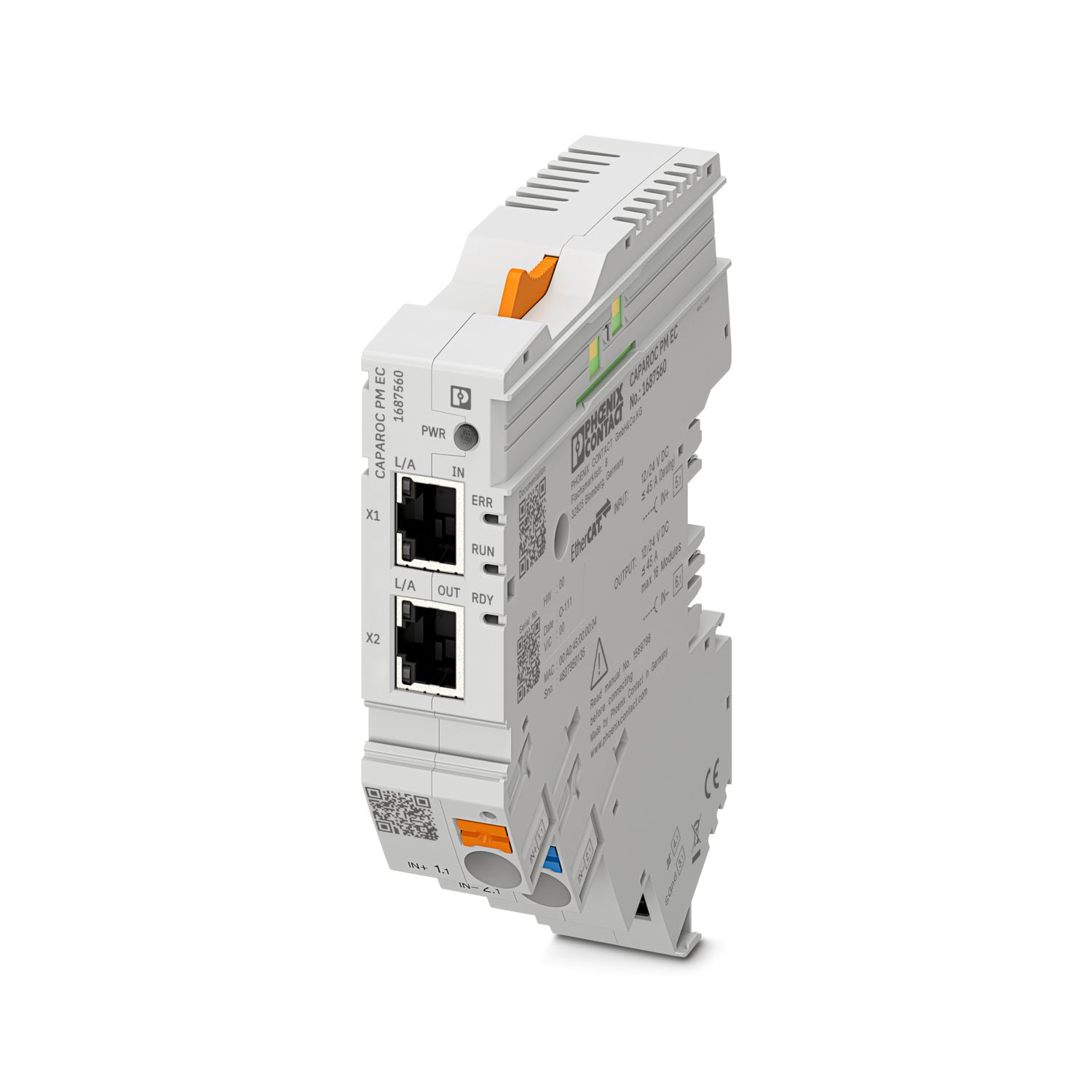

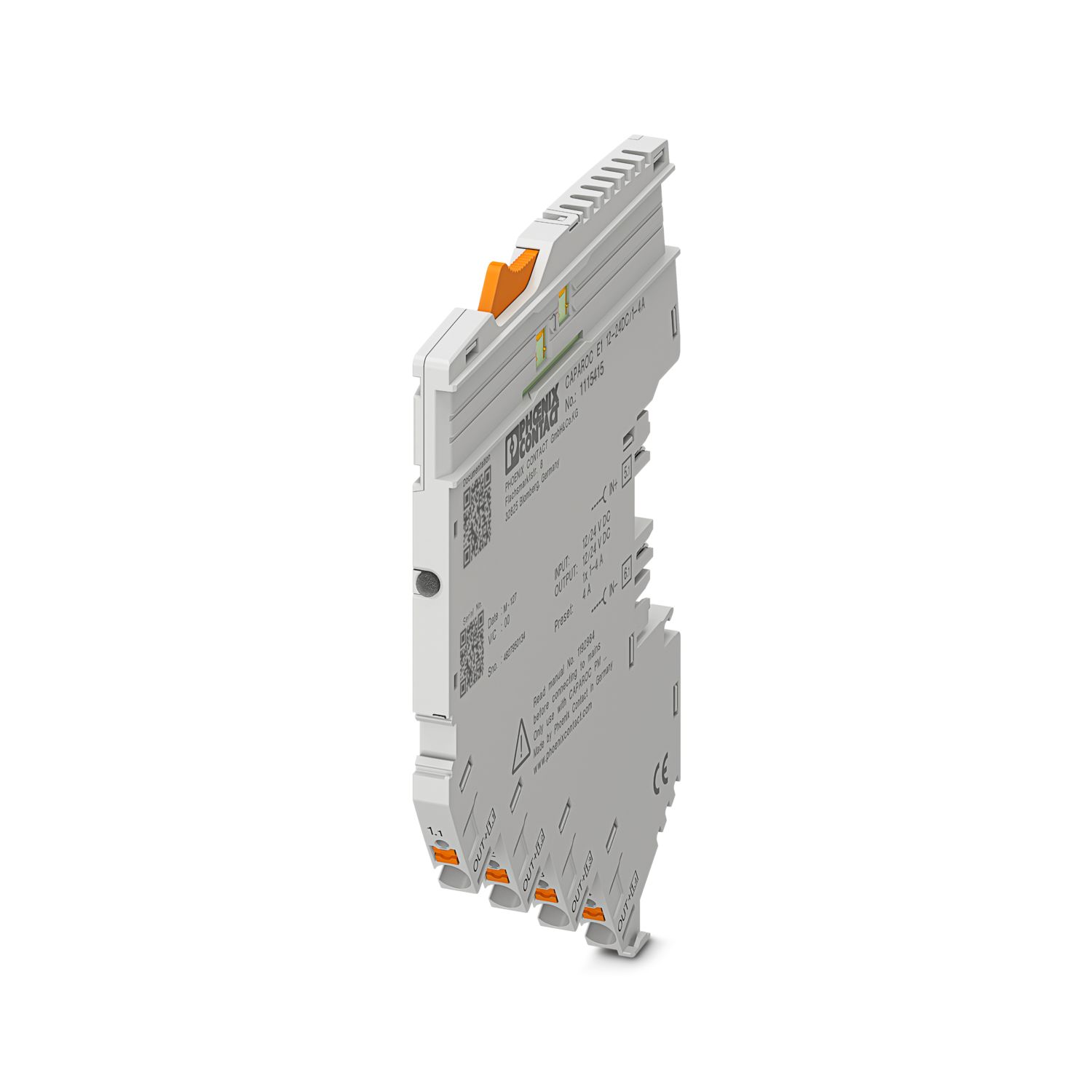
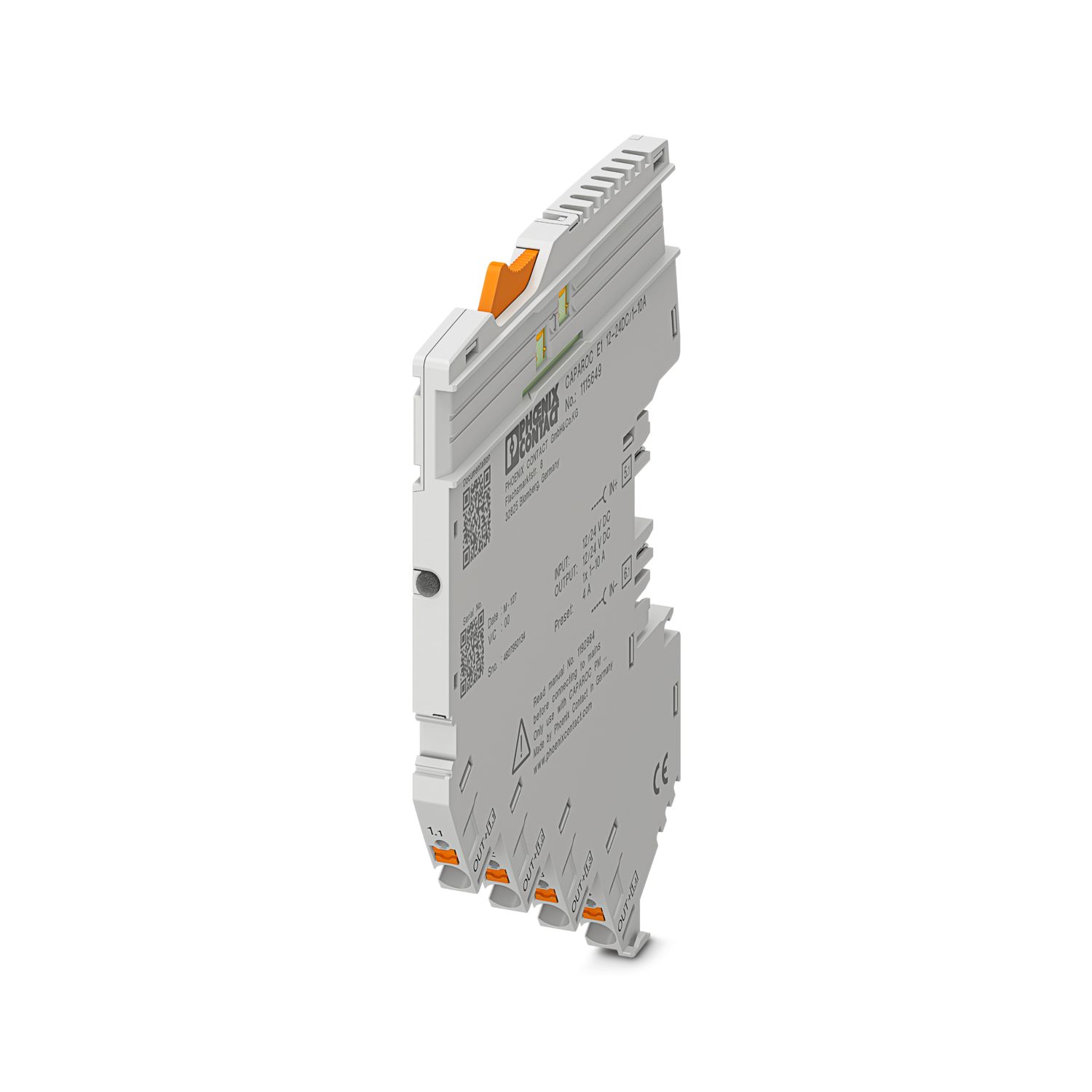
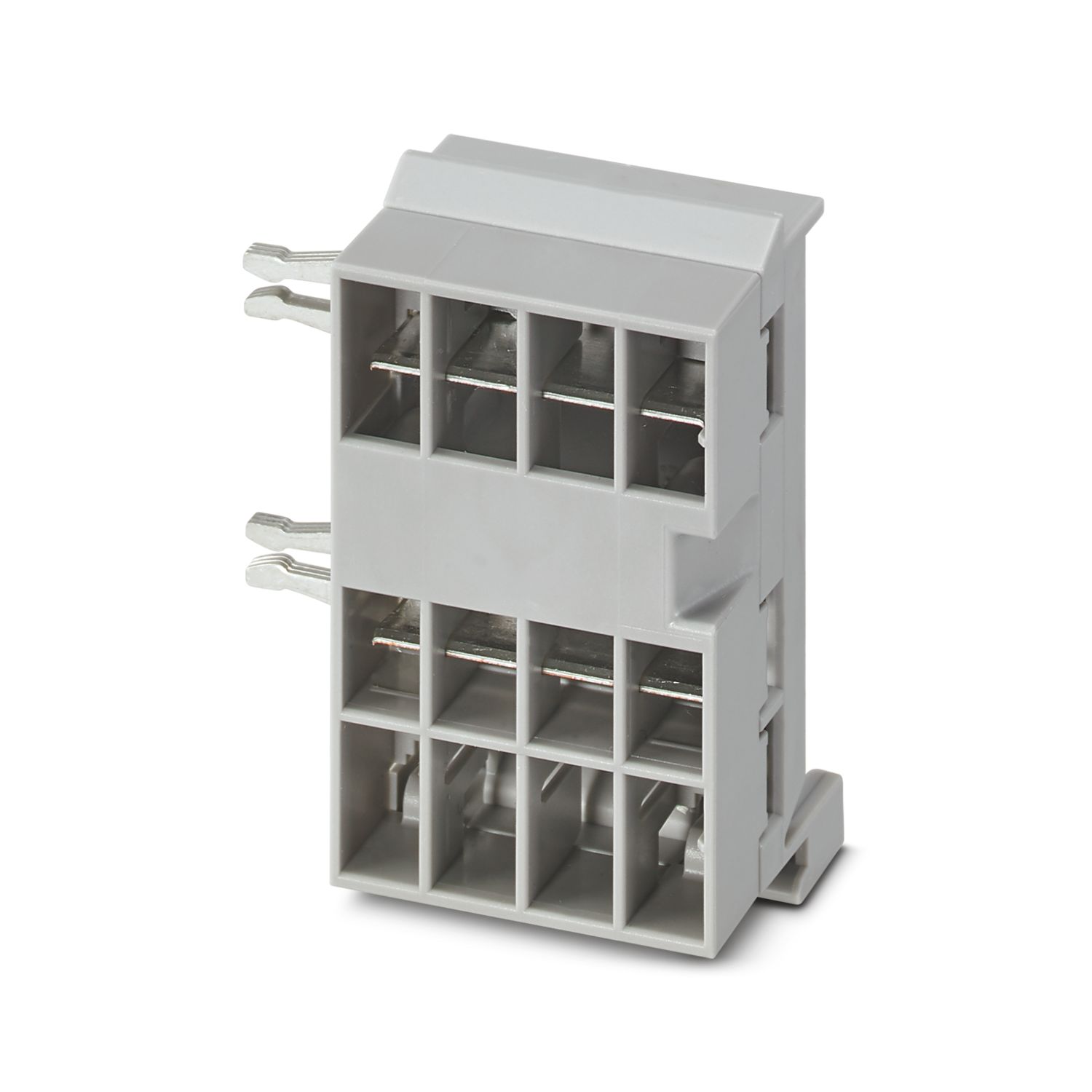
Модуль питания с интерфейсом EtherCAT® для питания системы автоматических выключателей CAPAROC c 12 или 24 В DC. Дополнительный системный интерфейс для связи с источником питания. Для установки на монтажной DIN-рейке с помощью сборных шин CAPAROC.
Для эксплуатации данного изделия требуется наличие дополнительных изделий.
Необходимые принадлежности
Доступно для бесплатного скачивания.
Загрузки
Подробная информация о продукте
| Указание по применению | На данный момент мы готовим изделие таким образом, чтобы с 11 декабря 2027 года оно соответствовало требованиям Закона ЕС о киберустойчивости (CRA) на основе имеющейся в настоящее время информации по CRA. |
| Общая информация | |
| Указание | LABS свободны – согласно спецификации испытания VW PV 3.10.7:2005-0 |
| При подключении проводов следите за тем, чтобы модули CAPAROC не растягивались под действием растягивающего усилия. Между модулями не должны образовываться промежутки. | |
| EtherCAT® является зарегистрированной торговой маркой и запатентованной технологией, лицензированной компанией Beckhoff Automation GmbH, Германия. | |
| Тип изделия | Электронные автоматические выключатели |
| Серия изделий | CAPAROC |
| Конструкция | Съемный модуль |
| Количество гнезд | 4 |
| Изоляционные характеристики | |
| Степень защиты | III |
| Степень загрязнения | 2 |
| EtherCAT® | |
| Функция устройства | EtherCAT® SubDevice |
| Общая информация | |
| Рабочее напряжение | 10 В DC ... 30 В DC |
| Pасчетное напряжение | 12 В DC |
| 24 В DC | |
| Номинальный ток IN | 45 A (Полный ток, вход) |
| Расчетное импульсное напряжение | 0,5 кВ |
| Тип срабатывания | E (электрон.) |
| Устойчивость к обратной связи | макс. 35 В DC |
| Электрическая прочность | 35 В DC (Цепь нагрузки) |
| КПД | > 99 % |
| Ток покоя I0 | тип. 46 мА (на холостом ходу при 24 В) |
| Рассеиваемая мощность | тип. 1,1 Вт (на холостом ходу при 24 В) |
| < 4,5 Вт (при 40 A) | |
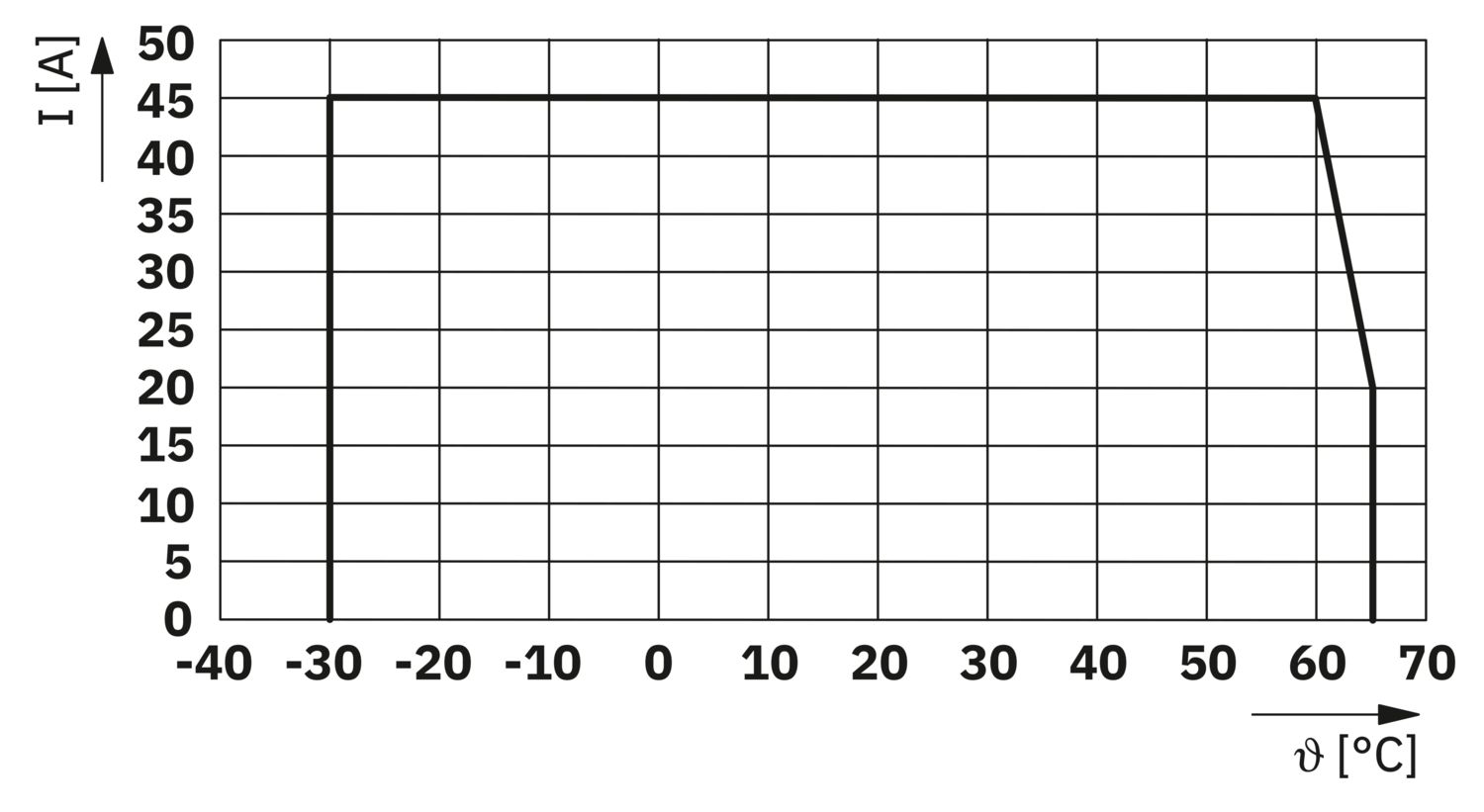
| Ухудшение показателей от температуры | 45 A (Полный ток при 60 °C) |
| 20 A (Полный ток при 65 °C) | |
| 45 A (Общий ток при 60 °C, по UL) | |
| MTBF (IEC 61709, SN 29500) | 7242508,37 ч (при 25 °C с нагрузкой 21 %) |
| 3958056,77 ч (при 40 °C с нагрузкой 34,25 %) | |
| 764697,81 ч (при 60 °C с нагрузкой 100 %) | |
| Падение напряжения | 0,082 В (при 40 A) |
| Цепь нагрузки | |
| Отключение при пониженном напряжении | ≤ 9,2 В DC (активный) |
| ≥ 10,2 В DC (неактивный) | |
| Отключение при перегрузке | ≥ 30,5 В DC (активный) |
| ≤ 29,5 В DC (неактивный) | |
| Главная цепь тока IN+ | |
| Тип подключения | Зажимы Push-in |
| Длина снятия изоляции | 18 мм |
| Сечение проводника AWG | 20 ... 8 |
| Сечение гибкого проводника с кабельным наконечником и изолирующим хомутом | 0,5 мм² ... 16 мм² |
| Сечение гибкого проводника с кабельным наконечником, без пластмассовой втулки | 0,5 мм² ... 16 мм² |
| Главная цепь тока IN- | |
| Тип подключения | Зажимы Push-in |
| Длина снятия изоляции | 18 мм |
| Сечение проводника AWG | 20 ... 8 |
| Сечение гибкого проводника с кабельным наконечником и изолирующим хомутом | 0,5 мм² ... 16 мм² |
| Сечение гибкого проводника с кабельным наконечником, без пластмассовой втулки | 0,5 мм² ... 16 мм² |
| Системная связь | |
| Тип подключения | Зажимы Push-in |
| Длина снятия изоляции | 8 мм |
| Сечение жесткого провода | 0,2 мм² ... 1,5 мм² |
| Сечение проводника AWG | 24 ... 16 |
| Сечение гибкого проводника с кабельным наконечником и изолирующим хомутом | 0,2 мм² ... 0,75 мм² |
| Сечение гибкого проводника с кабельным наконечником, без пластмассовой втулки | 0,2 мм² ... 1,5 мм² |
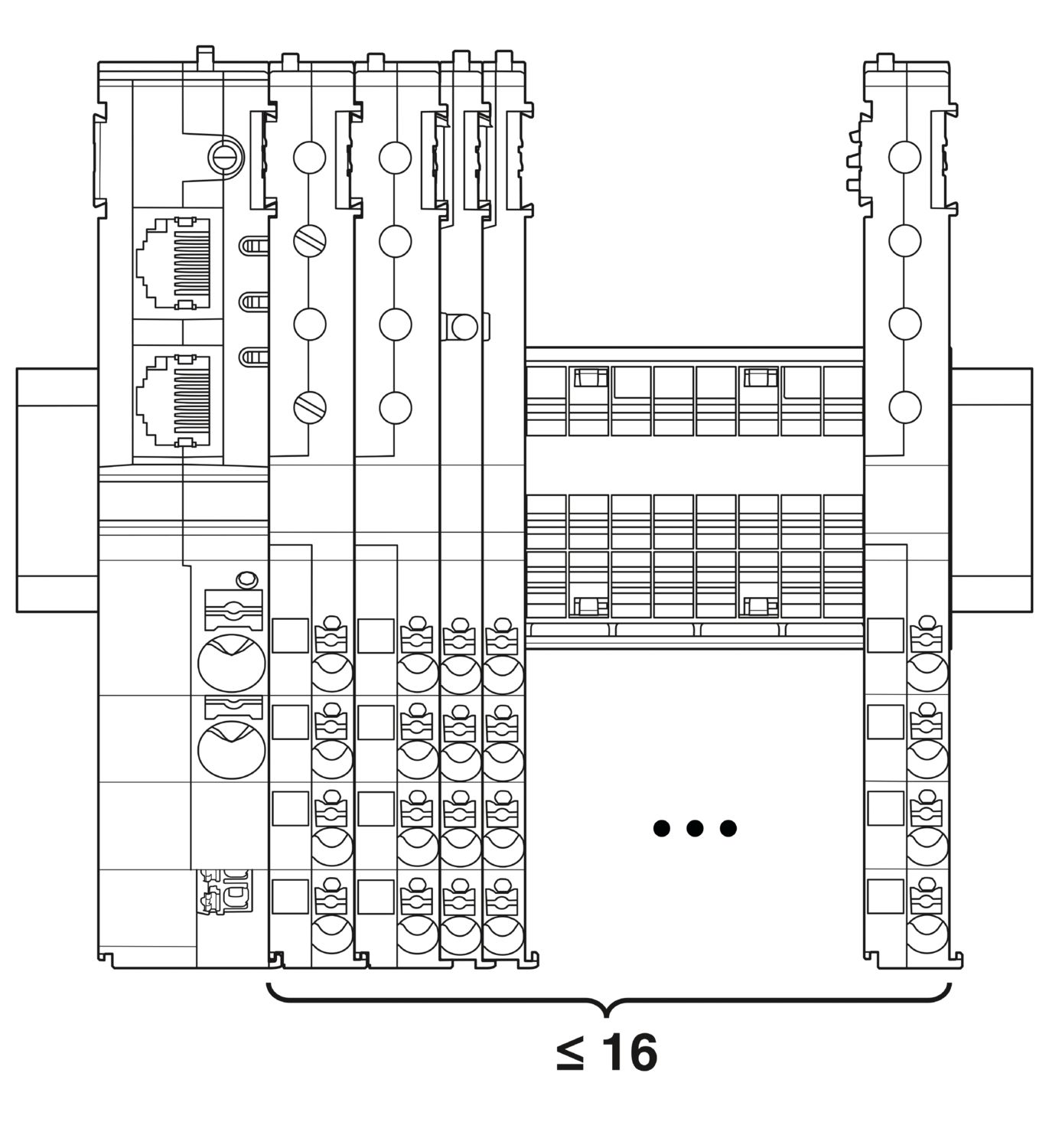
| Максимальное расширение системы | ≤ 16 (Модули CAPAROC могут быть соединены в бухту) |
| Тип интерфейса | Ethernet |
| Количество | 2 |
| Скорость передачи данных | 10 Мбит/с 100 Мбит/с |
| Среда передачи | Ethernet на базе витой пары, с интерфейсом RJ45 |
| Поддерживаемые протоколы | EtherCAT® SubDevice, CoE, FoE, EoE |
| Светодиод питания (PWR) зеленый | горит (Напряжение питания в диапазоне рабочих напряжений) |
| 3x мигает (Глобальная блокировка программирования отключена) | |
| Светодиод питания (PWR) красный | горит (Напряжение питания вне диапазона рабочих напряжений) |
| 5x мигает (Принята команда сброса к заводским настройкам) | |
| Светодиод питания (PWR) желтый | горит (Кнопка PWR нажата) |
| 3x мигает (Активирована глобальная блокировка программирования) | |
| Светодиодный индикатор готовности (RDY) желтый | мигает (Идет обновление встроенной программы) |
| Светодиодный индикатор готовности (RDY) зеленый | горит (Встроенная программа запущена успешно) |
| Светодиод ошибки (ERR) красный | выкл. (Без сбоя связи. Связь EtherCAT® с устройством работает безупречно.) |
| мигает быстро (Недопустимая конфигурация/общая ошибка конфигурации Возможная причина:Изменение состояния, вызванное главным устройством, невозможно из-за настроек регистра или объекта.Наиболее распространенная причина – устаревшая конфигурация модуль-гнездо.) | |
| мигает (Локальная ошибка: приложение SubDevice самостоятельно изменило состояние EtherCAT®. Возможная причина 1: Произошел тайм-аут сторожевого таймера хоста.Возможная причина 2: Во время работы произошла неправильная конфигурация модуля. Модуль заменен на неправильный.) | |
| мигает двукратно (Тайм-аут сторожевого таймера приложения) | |
| Светодиод «Работа» (RUN) зеленый | выкл. (Устройство находится в состоянии INIT) |
| мигает быстро (2,5 Гц) (Устройство находится в состоянии PRE-OPERATIONAL) | |
| мигает (Устройство находится в состоянии SAFE-OPERATIONAL) | |
| горит (Устройство находится в состоянии OPERATIONAL) |
| Чертеж |
|
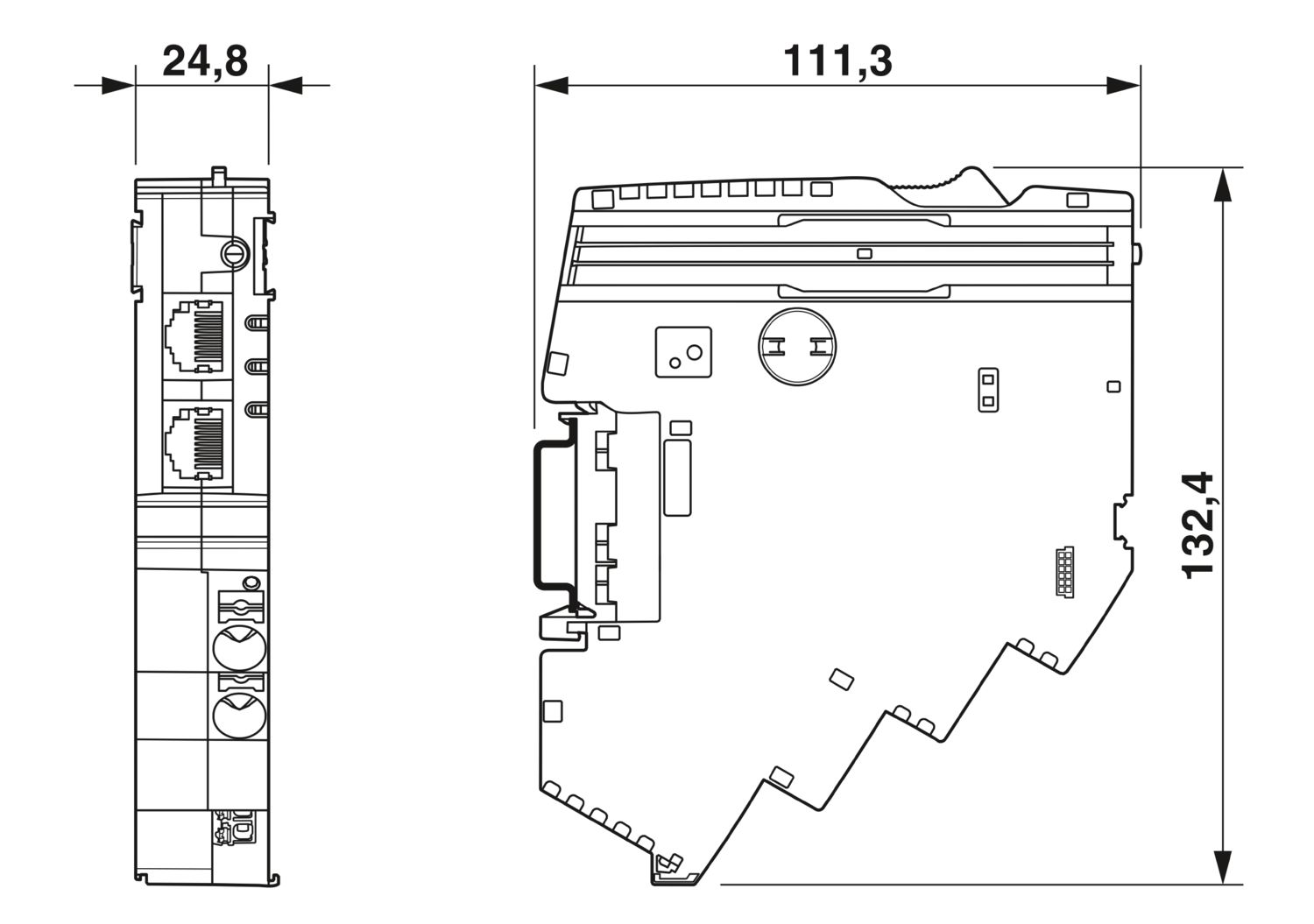
| Ширина | 24,8 мм |
| Высота | 132,4 мм |
| Глубина | 111,3 мм (вкл. монтажная рейка 7,5 мм) |
| Цвет | cветло серый (RAL 7035) |
| Материал | PA 6 |
| PA 6 | |
| PA 6 | |
| PC | |
| Класс воспламеняемости согласно UL 94 | V-0 |
| Условия окружающей среды | |
| Степень защиты | IP20 |
| Температура окружающей среды (при эксплуатации) | -30 °C ... 65 °C |
| -30 °C ... 60 °C (согласно UL) | |
| Температура окружающей среды (хранение/транспорт) | -40 °C ... 70 °C |
| Высота | ≤ 4000 м (amsl) |
| Определение влажности | 96 ч, 95 % ОВ, 40 °C |
| Удары (при эксплуатации) | 30г (11 мс, ударный импульс полусинусоида, в соответствии с МЭК 60068-2-27) |
| 25г (Длительность 6 мс, ударный импульс полусинусоида согласно МЭК 60068-2-27, длительная ударная нагрузка) | |
| Вибрация (при эксплуатации) | 5г (10 Гц ... 150 Гц / 10 циклов / ось / X, Y, Z) |
| Сертификат UL | |
| Маркировка | UL/C-UL Listed UL 508 |
| UL 121201 Class I, Division 2, Groups A, B, C, D, T4A | |
| Стандарты/нормативные документы | EN 61000-6-2 |
| Указание | ЭМС - Помехоустойчивость при промышленном применении |
| Стандарты/нормативные документы | EN 61000-6-4 |
| Указание | ЭМС - Помехоустойчивость при промышленном применении |
| Стандарты/нормативные документы | EN 61000-6-8 |
| Указание | ЭМС – излучение помех для профессиональных устройств, используемых в деловых и коммерческих сферах, а также в малом бизнесе |
| Стандарты/нормативные документы | EN 60068-2-78 |
| Указание | Влияние окружающей среды - Влажность и тепло (устойчивые) |
| Стандарты/нормативные документы | EN 50178 |
| Указание | Оснащение силовых установок электронным оборудованием |
| Стандарты/нормативные документы | EN 60068-2-6 |
| Указание | Влияние окружающей среды - Колебания (синусоидальные) |
| Стандарты/нормативные документы | EN 60068-2-27 |
| Указание | Влияние окружающей среды - удары |
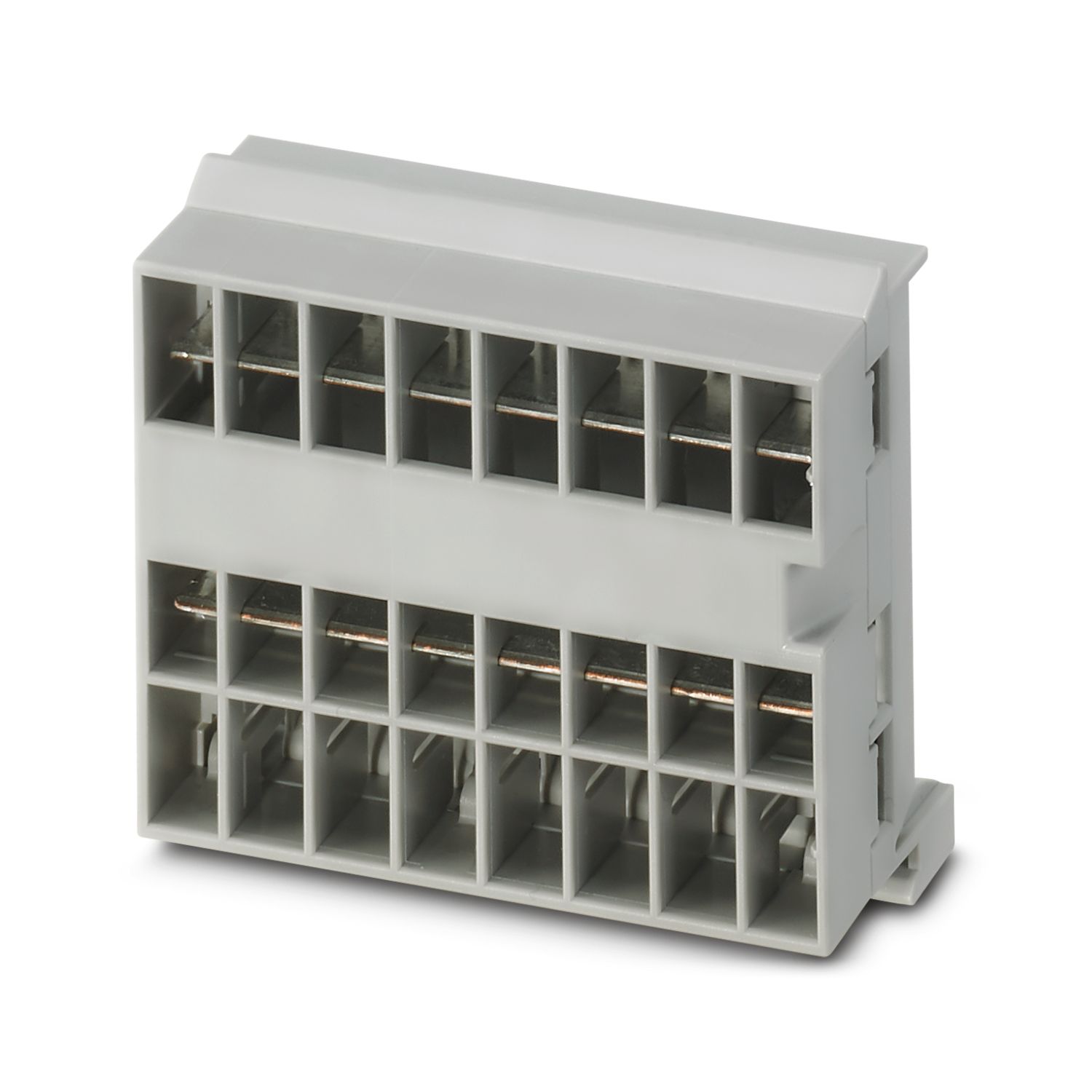
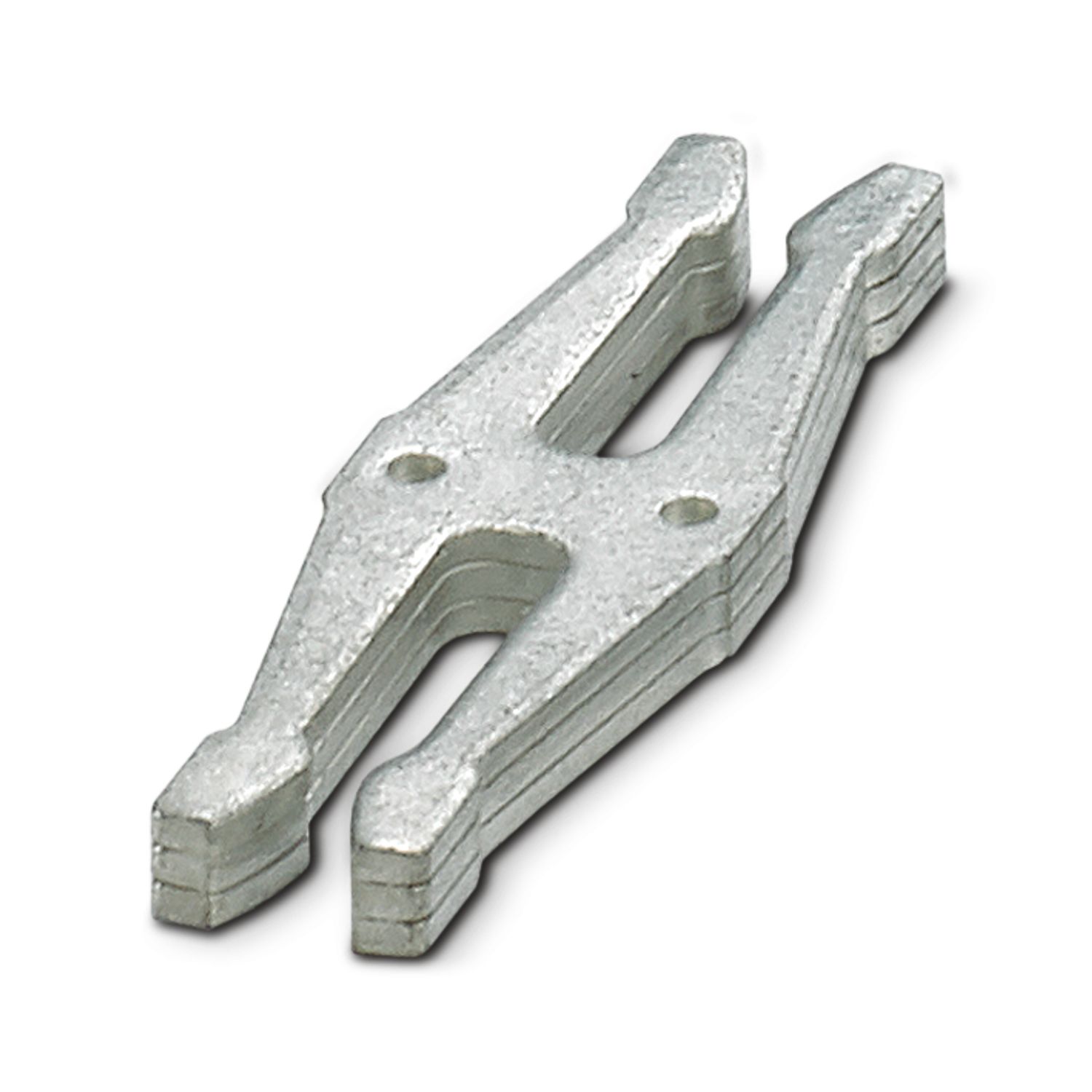
| Тип монтажа | Возможность подключения к сборной шине CAPAROC CR… |
cUL Listed
ID допуска: E123528EtherCAT
ID допуска: 0x84_009cULus Listed
ID допуска: E483407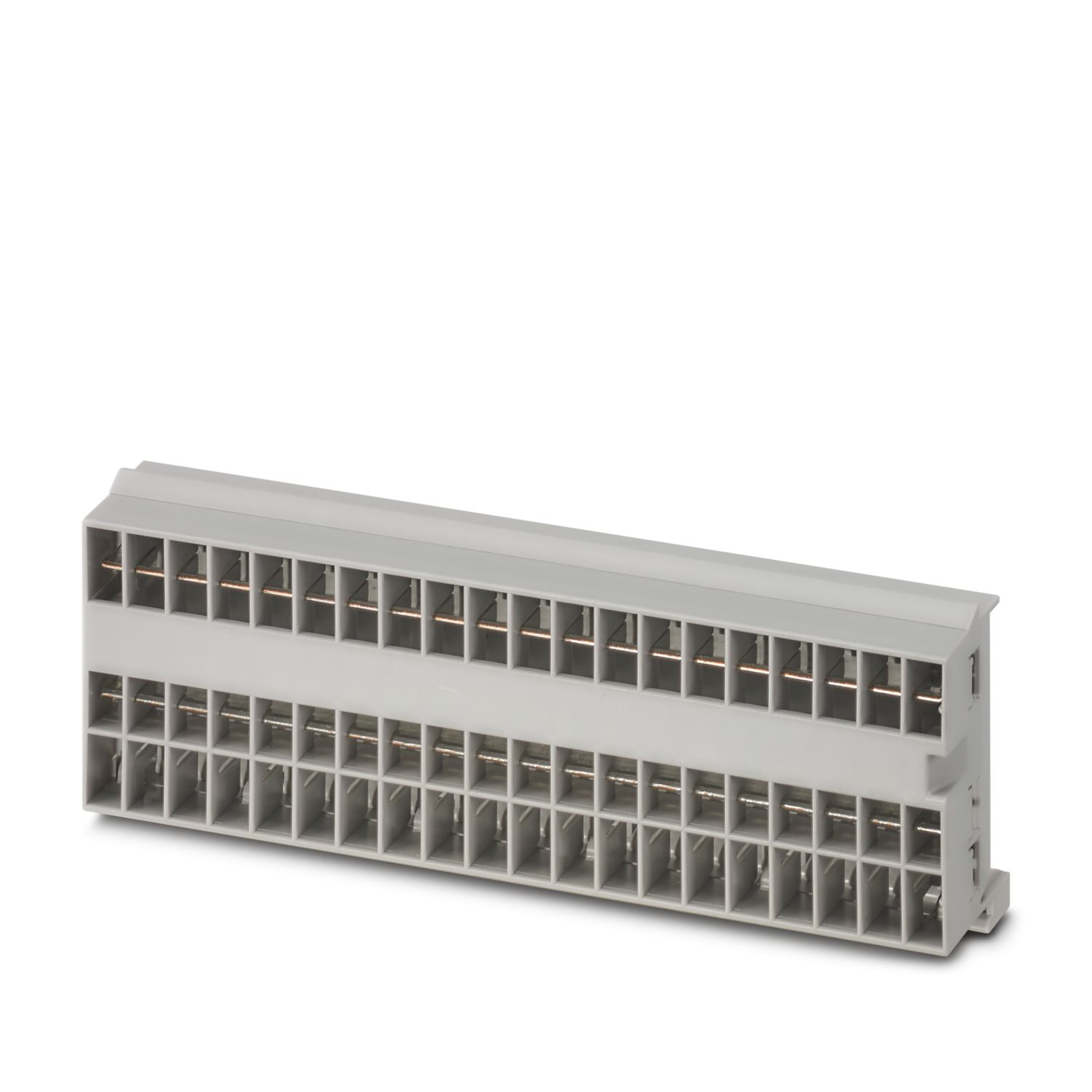

Преимущества для вас
Настраиваемый персонально стандарт благодаря возможности выбора: от простых сигналов и перезагрузки вплоть до связи EtherCAT®
Особенно простое обслуживание для всех благодаря собираемой без инструмента конструкции, прямому питанию на сборной шине и прозрачному рабочему состоянию
Поразительно простая интеграция устройств благодаря полному цифровому пакету данных для использования в приложениях EtherCAT®
Часто задаваемые вопросы
Существует ли учебник по аппаратному обеспечению, в котором объясняются функции CAPAROC?
Да, существует руководство по аппаратному обеспечению, которое поможет начать работу с CAPAROC.... Смотреть подробнее
Да, существует руководство по аппаратному обеспечению, которое поможет начать работу с CAPAROC.
Смотреть меньшеСколько модулей силовых автоматических выключателей можно подключить за модулем питания?
CAPAROC PM S-R: 20 модулей силовых автоматических выключателей
CAPAROC PM IOL: 20 каналов
CAPAROC PM PN: 16 модулей силовых автоматических выключателей
CAPAROC PM EIP: 16 модулей силовых автоматических выключателей
CAPAROC PM MB: 16 модул...
Смотреть подробнее
CAPAROC PM S-R: 20 модулей силовых автоматических выключателей
CAPAROC PM IOL: 20 каналов
CAPAROC PM PN: 16 модулей силовых автоматических выключателей
CAPAROC PM EIP: 16 модулей силовых автоматических выключателей
CAPAROC PM MB: 16 модулей силовых автоматических выключателей
CAPAROC PM EC: 16 модулей силовых автоматических выключателей
Светодиодный индикатор канала дважды мигает желтым цветом каждые 4 секунды. Что это значит?
Это означает, что внутренняя связь с модулем питания прервана или неисправна.
Убедитесь, что модули установлены правильно и что между ними нет зазора. Если связь по-прежнему прервана, проверьте боковые контакты первого мигающего модуля (слева). Ес...
Смотреть подробнее
Это означает, что внутренняя связь с модулем питания прервана или неисправна.
Убедитесь, что модули установлены правильно и что между ними нет зазора. Если связь по-прежнему прервана, проверьте боковые контакты первого мигающего модуля (слева). Если они погнуты, вставлены слишком глубоко в модуль, не отцентрированы в отверстии корпуса или повреждены иным образом, замените модуль.
Можно ли заблокировать установку заданных токов?
Токи можно блокировать разными способами:
1. Программная блокировка: нажмите кнопку PWR на модуле питания на > 3 секунд, светодиод PWR мигнет желтым 3 раза, настройки теперь заблокированы. При повторном нажатии в течение > 3 секунд светодиод...
Смотреть подробнее
Токи можно блокировать разными способами:
1. Программная блокировка: нажмите кнопку PWR на модуле питания на > 3 секунд, светодиод PWR мигнет желтым 3 раза, настройки теперь заблокированы. При повторном нажатии в течение > 3 секунд светодиод мигнет зеленым 3 раза, и блокировка будет отменена.
2. Блокировку можно также установить и отменить через интерфейс связи. Здесь же можно установить блокировку управления, которая предотвращает выполнение операций и настроек на устройстве. В этом случае блокировку можно отменить только через интерфейс.