
Weitere Informationen rund um die Produktfamilie CAPAROC finden Sie in dem Onlinehandbuch unter: phoenixcontact.com/caparoc-help
CAPAROC PM EIP
-
Einspeisemodul
1393553
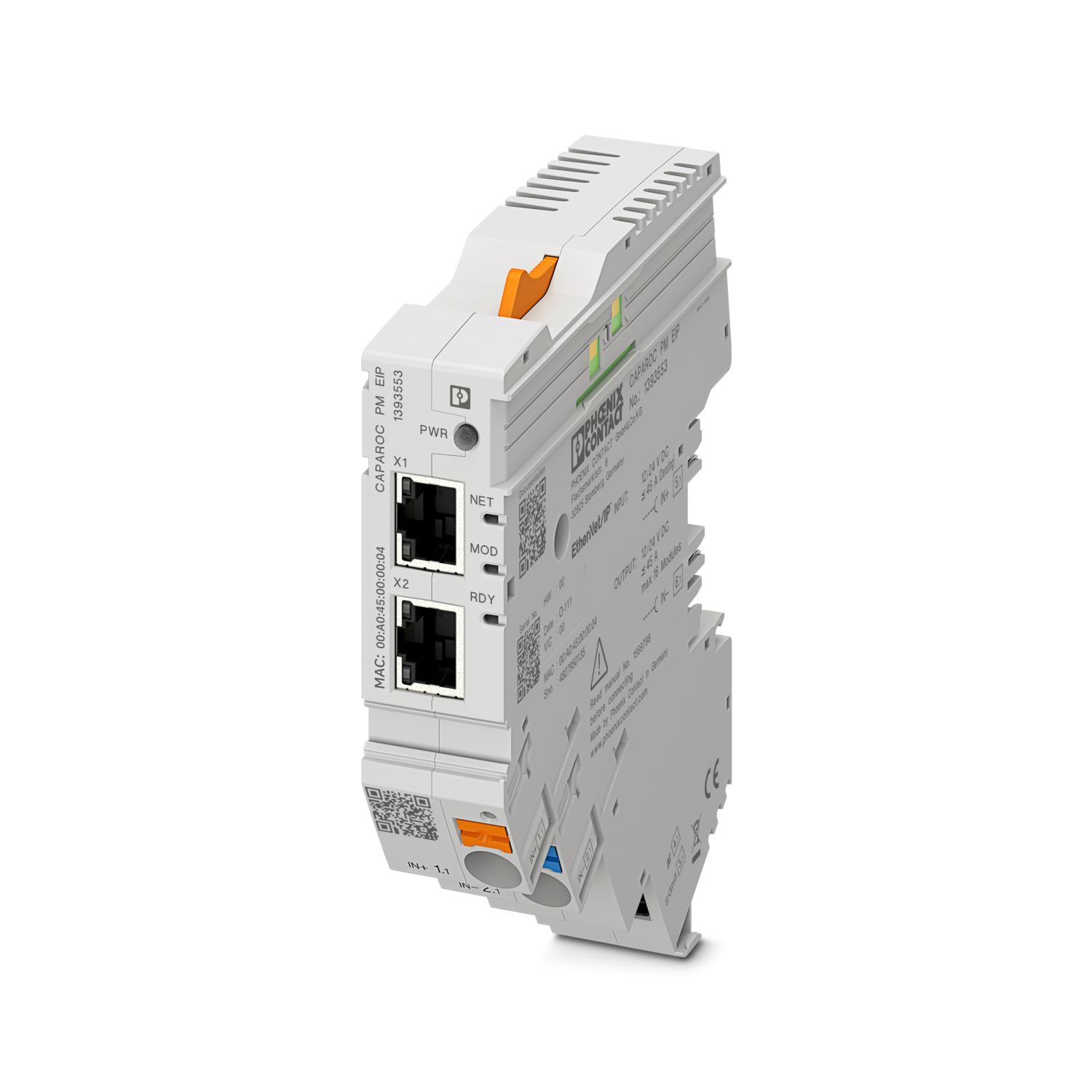
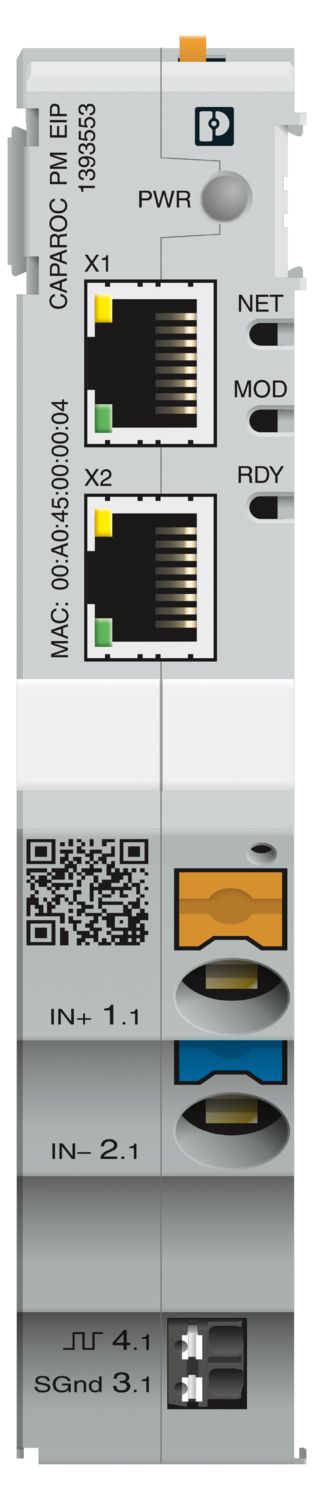
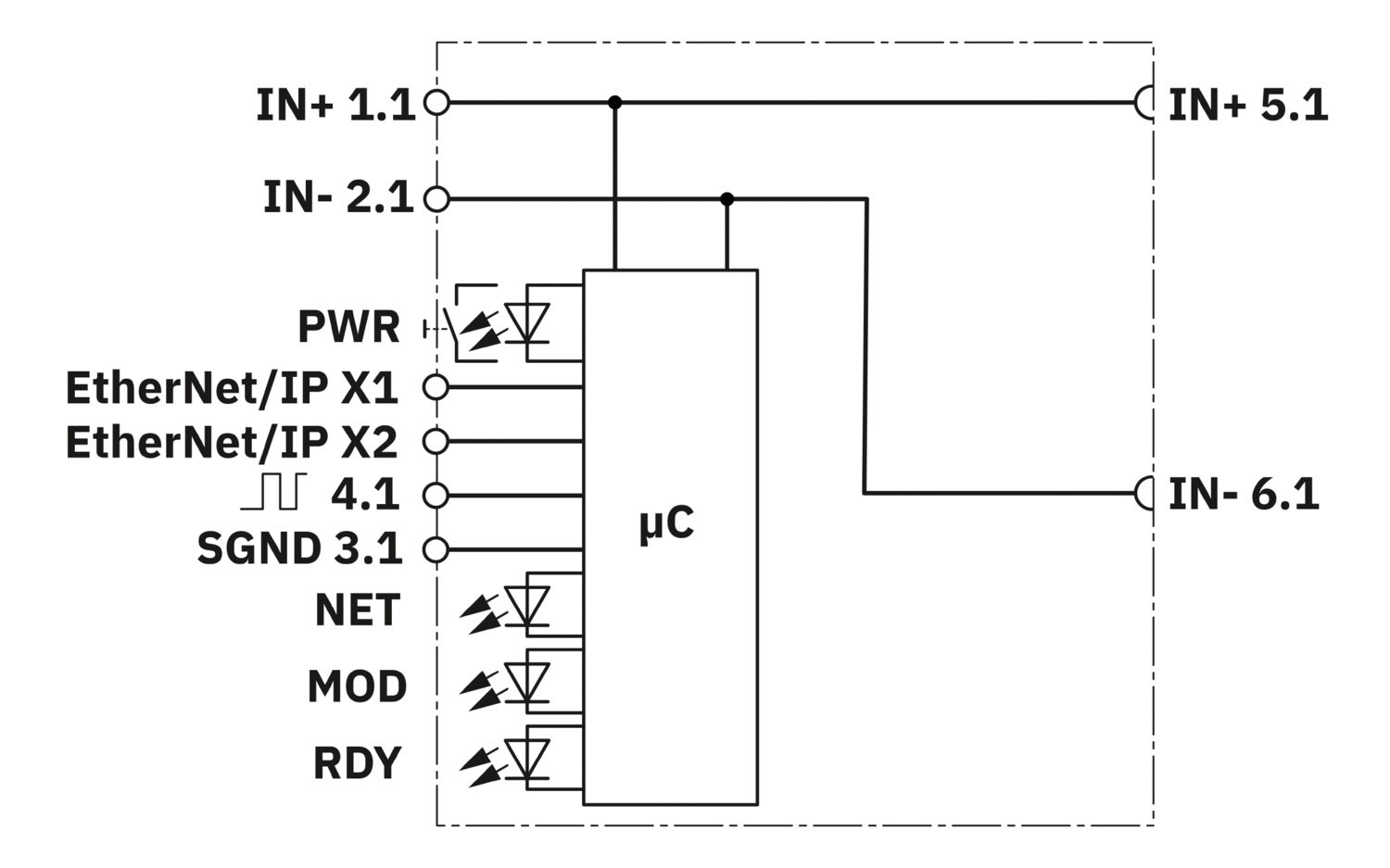

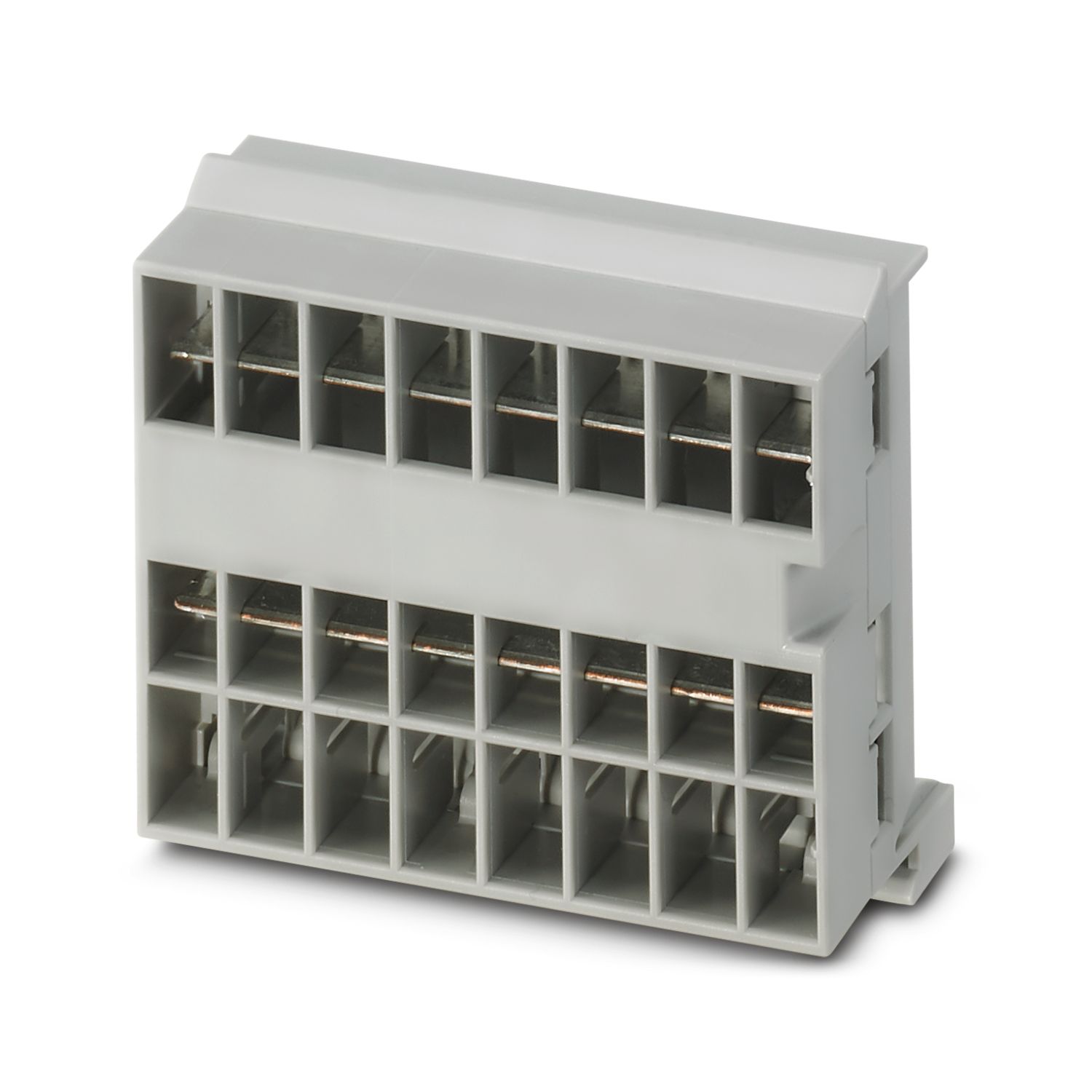
Einspeisemodul mit EtherNet/IP™-Schnittstelle zur Versorgung des CAPAROC Geräteschutzschalter-Systems mit 12 oder 24 V DC. Zusätzliche Systemschnittstelle zur Kommunikation mit der Stromversorgung. Zur Installation auf DIN-Tragschiene über die CAPAROC Stromschienen.
Dieses Produkt benötigt weitere Produkte für den Betrieb.
Notwendiges Zubehör
Kostenloser Download verfügbar.
Downloads
Produktdetails
| Hinweis zur Anwendung | Nach dem derzeitigen Stand bereiten wir das Produkt so vor, dass es ab dem 11.12.2027 die Anforderungen des Cyber Resilience Acts der EU (CRA) auf Basis der aktuell zum CRA verfügbaren Informationen einhalten wird. |
| Allgemein | |
| Hinweis | LABS frei – nach Prüfspezifikation VW PV 3.10.7:2005-0 |
| Beim Anschließen der Leiter ist darauf zu achten, dass die CAPAROC-Module durch Zugkräfte nicht auseinander gezogen werden. Es darf nicht zur Spaltbildung zwischen den Modulen kommen. | |
| Produkttyp | Geräteschutzschalter elektronisch |
| Produktfamilie | CAPAROC |
| Bauform | Aufsteckmodul |
| Anzahl der Steckplätze | 4 |
| Isolationseigenschaften | |
| Schutzklasse | III |
| Verschmutzungsgrad | 2 |
| EtherNet/IP™ | |
| Gerätefunktion | EtherNet/IP™-Adapter |
| Adressierung | DHCP (default), BootP, statisch, ACD |
| Topologie | Linie |
| Stern | |
| Ring | |
| Allgemein | |
| Betriebsspannung | 10 V DC ... 30 V DC |
| Bemessungsspannung | 12 V DC |
| 24 V DC | |
| Bemessungsstrom IN | 45 A (Gesamtstrom Eingang) |
| Bemessungsstoßspannung | 0,5 kV |
| Auslöseart | E (elektronisch) |
| Rückspeisefestigkeit | max. 35 V DC |
| Spannungsfestigkeit | 35 V DC (Lastkreis) |
| Wirkungsgrad | > 99 % |
| Ruhestrom I0 | typ. 46 mA (im Leerlauf bei 24 V) |
| Verlustleistung | typ. 1,1 W (im Leerlauf bei 24 V) |
| < 4,5 W (bei 40 A) | |
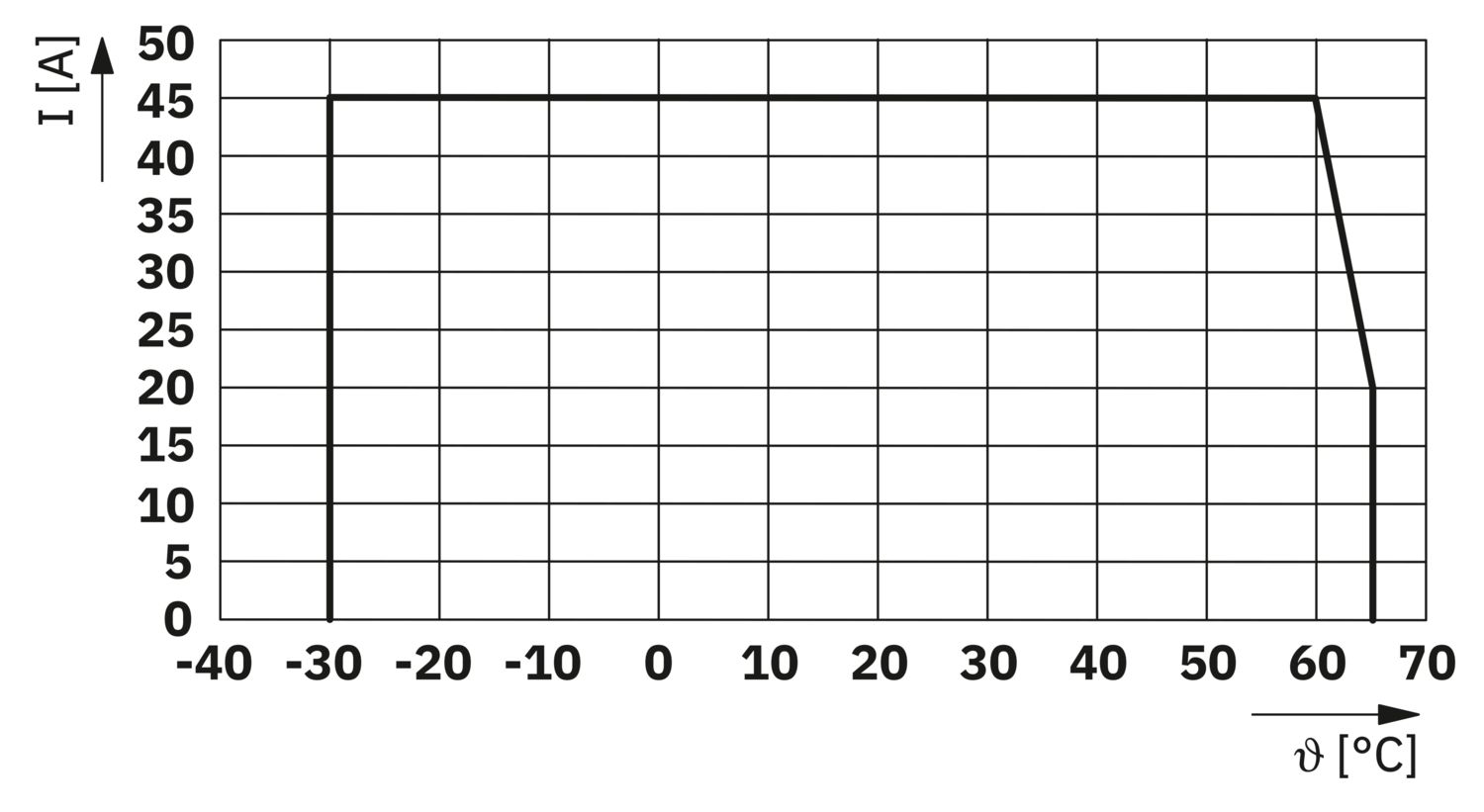
| Temperaturderating | 45 A (Gesamtstrom bei 60 °C) |
| 20 A (Gesamtstrom bei 65 °C) | |
| 45 A (Gesamtstrom bei 60 °C, nach UL) | |
| MTBF (IEC 61709, SN 29500) | 7242508,37 h (bei 25 °C mit 21 % Last) |
| 3958056,77 h (bei 40 °C mit 34,25 % Last) | |
| 764697,81 h (bei 60 °C mit 100 % Last) | |
| Spannungsfall | 0,082 V (bei 40 A) |
| Lastkreis | |
| Unterspannungsabschaltung | ≤ 9,2 V DC (aktiv) |
| ≥ 10,2 V DC (inaktiv) | |
| Überspannungsabschaltung | ≥ 30,5 V DC (aktiv) |
| ≤ 29,5 V DC (inaktiv) | |
| Hauptstromkreis IN+ | |
| Anschlussart | Push-in-Anschluss |
| Abisolierlänge | 18 mm |
| Leiterquerschnitt AWG | 20 ... 8 |
| Leiterquerschnitt flexibel mit Aderendhülse mit Kunststoffhülse | 0,5 mm² ... 16 mm² |
| Leiterquerschnitt flexibel mit Aderendhülse ohne Kunststoffhülse | 0,5 mm² ... 16 mm² |
| Hauptstromkreis IN- | |
| Anschlussart | Push-in-Anschluss |
| Abisolierlänge | 18 mm |
| Leiterquerschnitt AWG | 20 ... 8 |
| Leiterquerschnitt flexibel mit Aderendhülse mit Kunststoffhülse | 0,5 mm² ... 16 mm² |
| Leiterquerschnitt flexibel mit Aderendhülse ohne Kunststoffhülse | 0,5 mm² ... 16 mm² |
| Systemkommunikation | |
| Anschlussart | Push-in-Anschluss |
| Abisolierlänge | 8 mm |
| Leiterquerschnitt starr | 0,2 mm² ... 1,5 mm² |
| Leiterquerschnitt AWG | 24 ... 16 |
| Leiterquerschnitt flexibel mit Aderendhülse mit Kunststoffhülse | 0,2 mm² ... 0,75 mm² |
| Leiterquerschnitt flexibel mit Aderendhülse ohne Kunststoffhülse | 0,2 mm² ... 1,5 mm² |
| EtherNet/IP™ | |
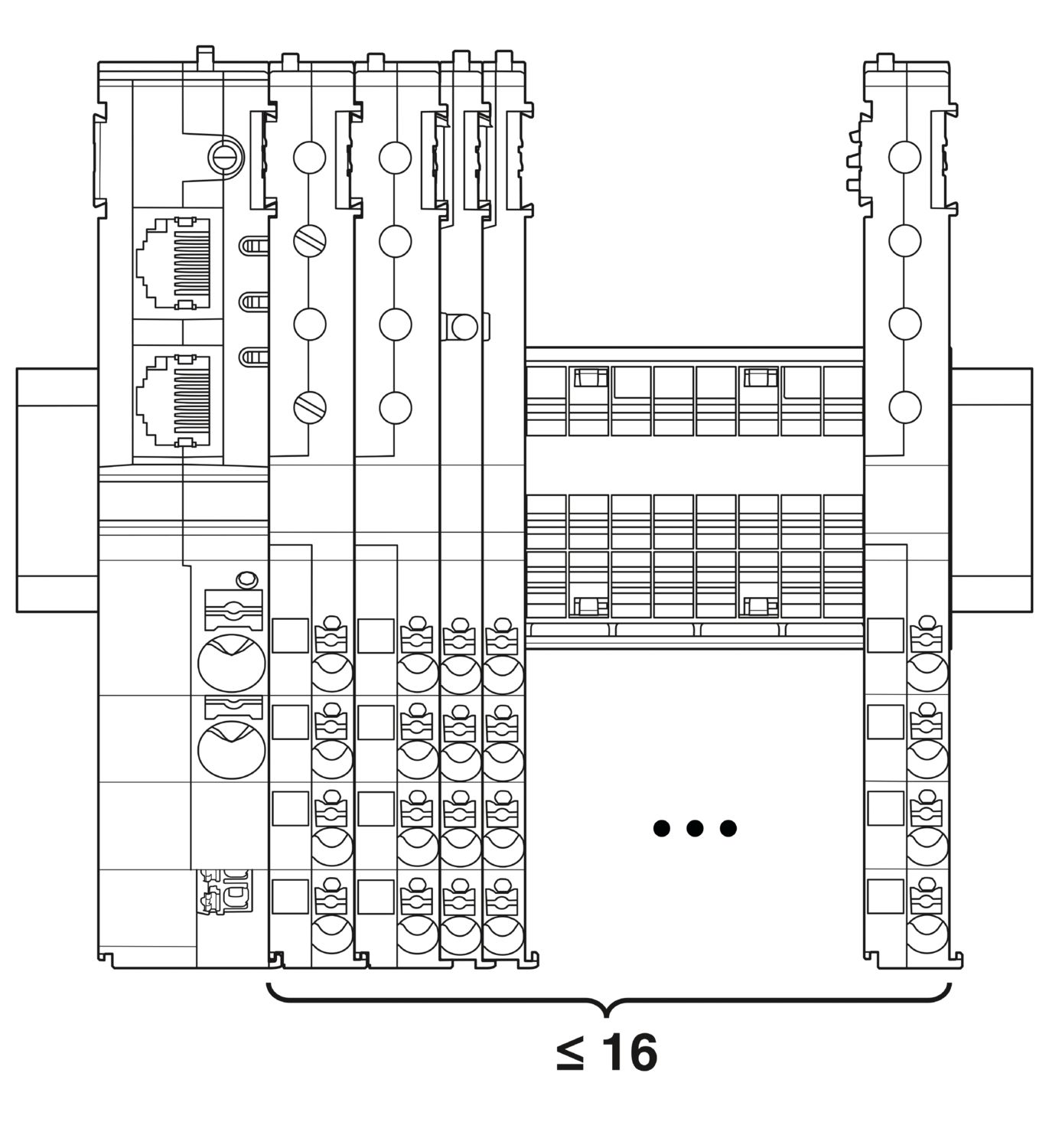
| Maximaler Systemausbau | ≤ 16 (CAPAROC Module anreihbar) |
| Schnittstellentyp | Ethernet |
| Anzahl | 2 |
| Übertragungsgeschwindigkeit | 10 Mbit/s 100 Mbit/s |
| Übertragungsphysik | Ethernet in RJ45-Twisted-Pair |
| Unterstützte Protokolle | EtherNet/IP™ |
| Anschluss X1 LED grün | leuchtet (verbunden) |
| Anschluss X1 LED gelb | leuchtet (Übertragung) |
| Anschluss X2 LED grün | leuchtet (verbunden) |
| Anschluss X2 LED gelb | leuchtet (Übertragung) |
| Power (PWR) LED grün | leuchtet (Versorgungsspannung innerhalb des Betriebsspannungsbereichs) |
| 3x blinkt (Globale Programmiersperre deaktiviert) | |
| Power (PWR) LED rot | leuchtet (Versorgungsspannung außerhalb des Betriebsspannungsbereichs) |
| 5x blinkt (Factory-Reset-Befehl akzeptiert) | |
| Power (PWR) LED gelb | leuchtet (PWR-Taster ist betätigt) |
| 3x blinkt (Globale Programmiersperre aktiviert) | |
| NET-LED aus | aus (keine Spannung am Gerät vorhanden oder keine IP-Adresse konfiguriert) |
| NET-LED grün | leuchtet (Kommunikation zur Steuerung vorhanden) |
| blinkt (IP-Adresse vorhanden, keine Kommunikation zur Steuerung) | |
| NET-LED rot | leuchtet (Address Conflict Detection (ACD): "Duplicate IP". Device hat erkannt, dass seine IP-Adresse bereits im Netzwerk verwendet wird.) |
| NET-LED rot-grün | blinkt (Geräteinitialisierung-Selbsttest) |
| MOD-LED aus | aus (Keine Versorgungsspannung) |
| MOD-LED grün | leuchtet (Normalbetrieb) |
| blinkt (das Gerät ist noch nicht konfiguriert) | |
| MOD-LED rot-grün | blinkt (Geräteinitialisierung-Selbsttest) |
| MOD-LED rot | leuchtet (Fehler (EtherNet/IP™: "Major unrecoverable fault"), z.B. Programmabsturz in der Steuerung) |
| blinkt (Fehler (EtherNet/IP™: "Major recoverable fault“), z.B. inkonsistente oder inkorrekte Parametrierung) | |
| Ready (RDY) LED gelb-grün | blinkt (Firmware-Installation läuft) |
| Ready (RDY) LED gelb | leuchtet (Firmware-Installation fehlgeschlagen, manuellen Spannungsreset durchführen) |
| Ready (RDY) LED grün | leuchtet (Firmware erfolgreich gestartet) |
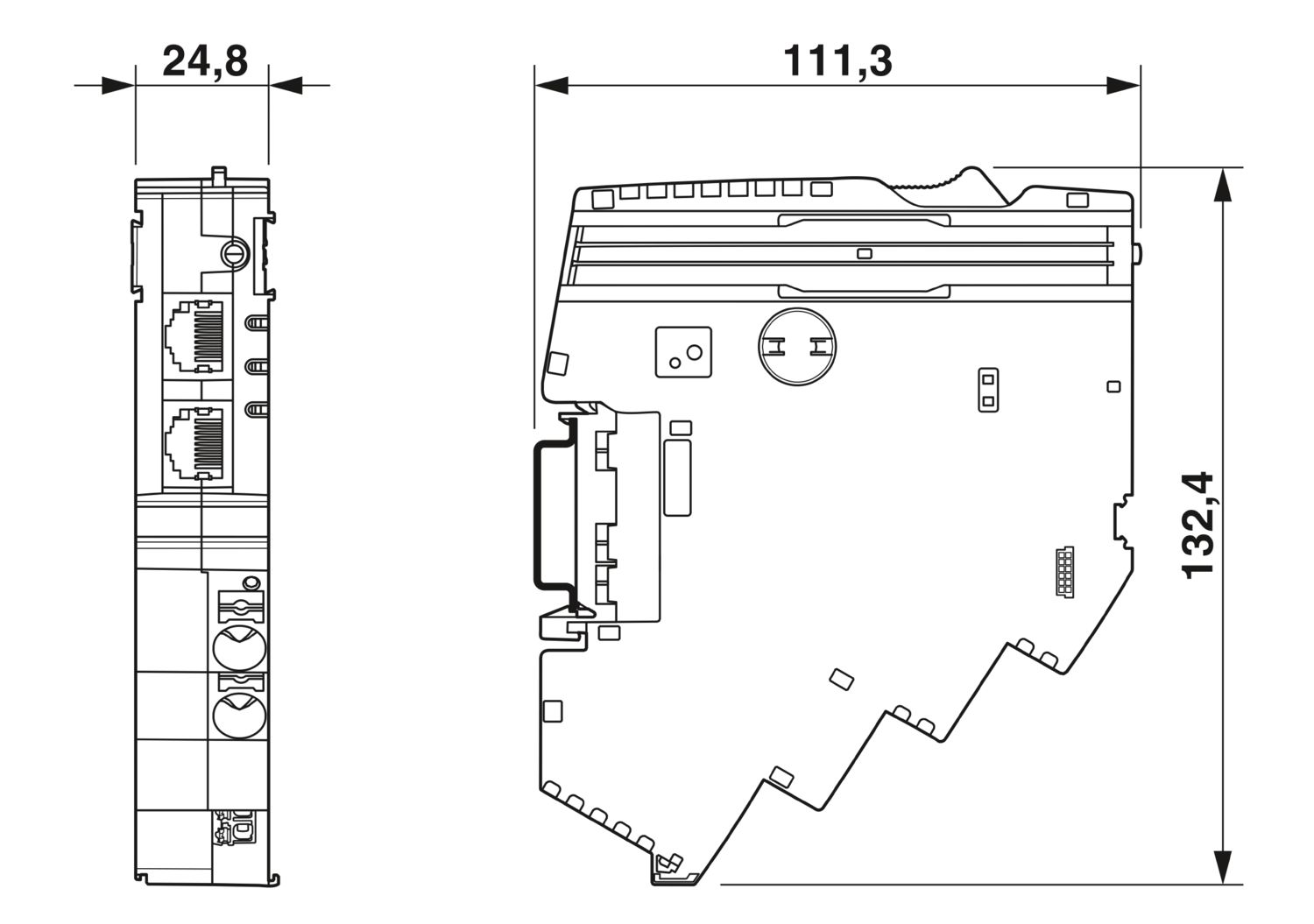
| Maßzeichnung |
|
| Breite | 24,8 mm |
| Höhe | 132,4 mm |
| Tiefe | 111,3 mm (inkl. Tragschiene 7,5 mm) |
| Farbe | lichtgrau (RAL 7035) |
| Material | PA 6 |
| PA 6 | |
| PA 6 | |
| PC | |
| Brennbarkeitsklasse nach UL 94 | V-0 |
| Umgebungsbedingungen | |
| Schutzart | IP20 |
| Umgebungstemperatur (Betrieb) | -30 °C ... 65 °C |
| -30 °C ... 60 °C (nach UL) | |
| Umgebungstemperatur (Lagerung/Transport) | -40 °C ... 70 °C |
| Höhenlage | ≤ 4000 m (amsl) |
| Feuchtigkeitsprüfung | 96 h, 95 % RH, 40 °C |
| Schock (Betrieb) | 30g (11 ms Dauer, Halbsinus-Schockimpuls, nach IEC 60068-2-27) |
| 25g (6 ms Dauer, Halbsinus-Schockimpuls nach IEC 60068-2-27, Dauerschock) | |
| Vibration (Betrieb) | 5g (10 Hz ... 150 Hz / 10 Zyklen / Achse / X, Y, Z) |
| Normen/Bestimmungen | EN 61000-6-2 |
| Hinweis | EMV - Störfestigkeit für Industriebereiche |
| Normen/Bestimmungen | EN 61000-6-4 |
| Hinweis | EMV - Störfestigkeit für Industriebereiche |
| Normen/Bestimmungen | EN 61000-6-8 |
| Hinweis | EMV - Störaussendung für professionell genutzte Geräte, die in Geschäfts- und Gewerbebereichen sowie in Kleinbetrieben verwendet werden |
| Normen/Bestimmungen | EN 60068-2-78 |
| Hinweis | Umgebungseinflüsse - Feuchte und Wärme, konstant |
| Normen/Bestimmungen | EN 50178 |
| Hinweis | Ausrüstung von Starkstromanlagen mit elektronischen Betriebsmitteln |
| Normen/Bestimmungen | EN 60068-2-6 |
| Hinweis | Umgebungseinflüsse - Schwingen (sinusförmig) |
| Normen/Bestimmungen | EN 60068-2-27 |
| Hinweis | Umgebungseinflüsse - Schocken |
| Montageart | steckbar auf Stromschiene CAPAROC CR… |
cUL Listed
Zulassungs-ID: E123528EtherNet/IP CONFORMANCE TESTED TM
Zulassungs-ID: 12382.01cULus Listed
Zulassungs-ID: E483407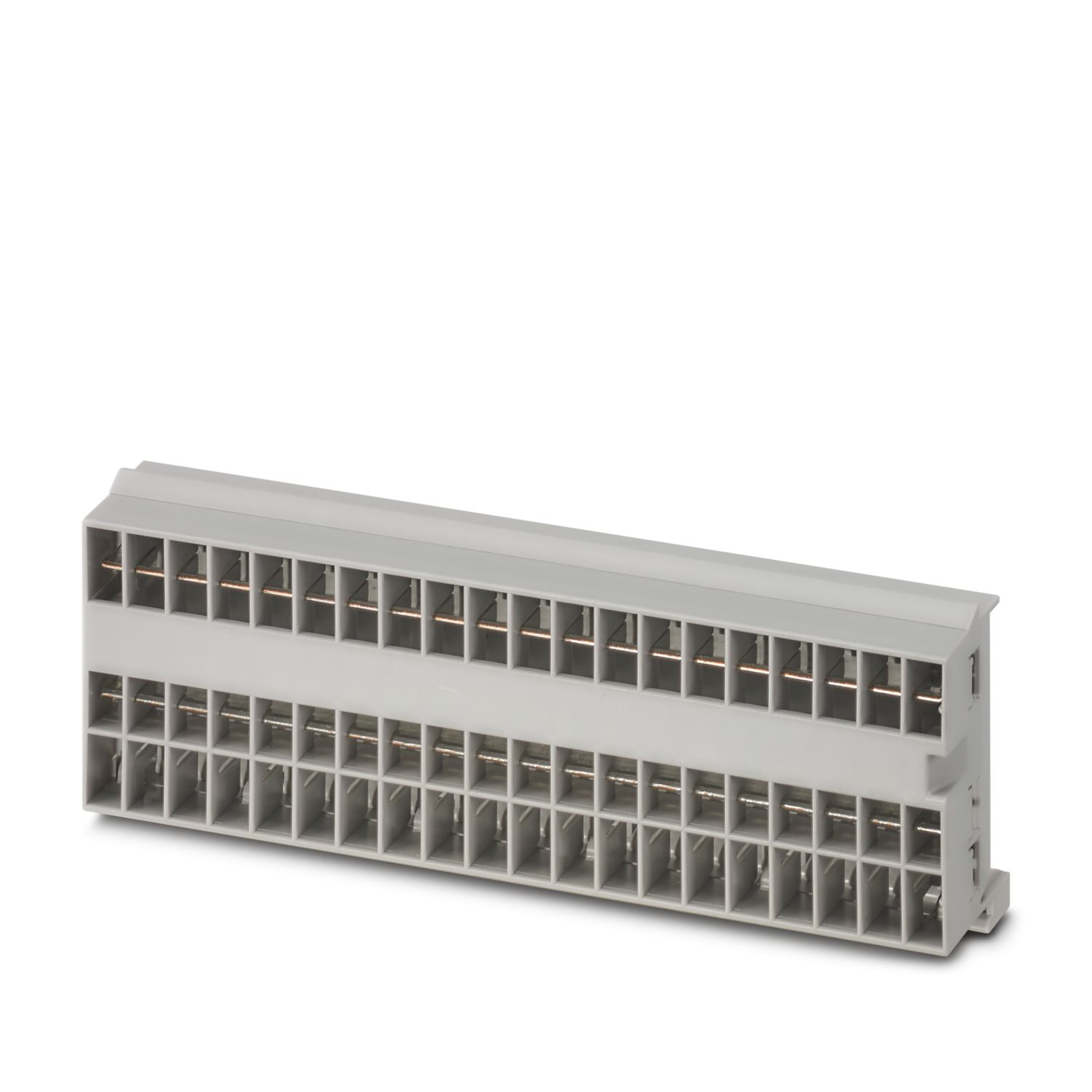

Ihre Vorteile
Der personalisierbare Standard dank Auswahl von einfachen Signalen und Reset bis hin zur EtherNet/IP™-Kommunikation
Besonders einfache Bedienung für jedermann durch werkzeuglosen Aufbau, direkte Einspeisung auf die Stromschiene und transparenten Betriebszustand
Auffallend einfaches Design-in dank vollständigem digitalen Datenpaket und EtherNet/IP™-Funktionsbausteinen für Studio 5000
Häufig gestellte Fragen
Gibt es ein Hardware-Tutorial, in dem die Funktionen von CAPAROC erklärt werden?
Ja, es gibt ein Hardware-Tutorial, um den Einstieg mit CAPAROC zu erleichtern.... Mehr anzeigen
Ja, es gibt ein Hardware-Tutorial, um den Einstieg mit CAPAROC zu erleichtern.
Weniger anzeigenWie viele Schutzschaltermodule kann ich hinter einem Einspeisemodul anschließen?
CAPAROC PM S-R: 20 Schutzschaltermodule
CAPAROC PM IOL: 20 Kanäle
CAPAROC PM PN: 16 Schutzschaltermodule
CAPAROC PM EIP: 16 Schutzschaltermodule
CAPAROC PM MB: 16 Schutzschaltermodule
CAPAROC PM EC: 16 Schutzschaltermodule
Die Kanal-LED blinkt alle 4 Sekunden zweimal gelb. Was bedeutet das hier?
Das bedeutet, dass die interne Kommunikation zum Einspeisemodul unterbrochen oder fehlerhaft ist.
Prüfen Sie, ob die Module korrekt montiert sind und keine Lücke zwischen den Modulen vorhanden ist. Wenn die Kommunikation immer noch unterbrochen is...
Mehr anzeigen
Das bedeutet, dass die interne Kommunikation zum Einspeisemodul unterbrochen oder fehlerhaft ist.
Prüfen Sie, ob die Module korrekt montiert sind und keine Lücke zwischen den Modulen vorhanden ist. Wenn die Kommunikation immer noch unterbrochen ist, überprüfen Sie die seitlichen Kontakte des ersten blinkenden Moduls (links). Sind diese verbogen, entweder zu weit in das Modul hineingesteckt, nicht in der Gehäuseöffnung zentriert oder anderweitig beschädigt, ersetzen Sie das Modul.
Kann ich die Einstellung der eingestellten Ströme sperren?
Die Ströme können auf unterschiedliche Weise gesperrt werden:
1. Programmiersperre: Drücken Sie die Taste PWR am Einspeisemodul für > 3 Sekunden, die PWR LED blinkt 3 x gelb, die Einstellungen sind nun gesperrt. Durch erneutes Drücken für > ...
Mehr anzeigen
Die Ströme können auf unterschiedliche Weise gesperrt werden:
1. Programmiersperre: Drücken Sie die Taste PWR am Einspeisemodul für > 3 Sekunden, die PWR LED blinkt 3 x gelb, die Einstellungen sind nun gesperrt. Durch erneutes Drücken für > 3 Sekunden blinkt die LED 3 mal grün und die Sperre wird wieder aufgehoben.
2. Die Sperre kann auch über die Kommunikationsschnittstelle gesetzt und aufgehoben werden. Hier kann auch die Bediensperre gesetzt werden, die eine Bedienung und Einstellungen am Gerät verhindert. Die Sperre kann dann nur noch über die Schnittstelle aufgehoben werden.
Bietet das Geräteschutzschalter-System CAPAROC Funktionsblöcke?
Ja, es gibt Funktionsblöcke für das Einspeisemodul mit PROFINET-Schnittstelle für das TIA Portal und CODESYS im Download-Bereich des Artikels, sowie für PLCnext Engineer im PLCnext Store.