Configuration app for CHARX control modular The free-of-charge configuration app for our AC charging controllers makes commissioning and configuring home chargers, charging stations, and even entire charging parks easier than ever before: electricians are guided step by step through the key settings of the EVSE controller on their smartphone, without the need for any prior knowledge.

Smartphone with app for CHARX control modular AC charging controllers

Your advantages

  • Error-free commissioning: step by step, without specialist knowledge, without training

  • Set up multiple charging points: centrally and quickly via the server controller

  • Practical help: Automatic charging point naming and load management setting

  • Maximum security: Password login protects sensitive data and settings

  • Your added value: Simple, quick setup on site and higher productivity

FAQs about the app

Frequently asked questions and answers about the CHARX control modular configuration app

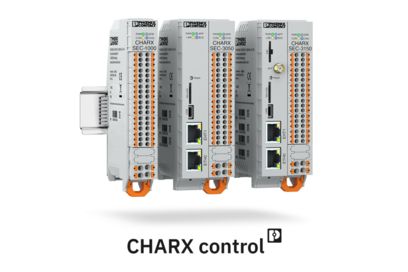
The app supports all EVSE controllers in the CHARX control modular family:

  • CHARX SEC-3000 (item 1139022)
  • CHARX SEC-3050 (item 1139018)
  • CHARX SEC-3100 (item 1139012)
  • CHARX SEC-3150 (item 1138965)
  • CHARX SEC-1000 (item 1139034) in combination with one of the above controllers

Frequently asked questions and answers about the CHARX control modular configuration app

You can use the app to configure all the basic settings for authentication, release modes, and load management on the charging controller that are normally required for commissioning charging points. The charging points can be named and the parameters for load management assigned automatically if required.

An extended configuration with professional settings can be carried out in the web browser via the integrated web-based management of the charge controllers.

Frequently asked questions and answers about the CHARX control modular configuration app

You have two options for connecting your smartphone to the controller:

  • By establishing an ad-hoc WLAN connection. This requires the SparkLAN WUBT-239ACN(BT) WLAN USB adapter, which you plug into the USB-C socket on the charging controller. The adapter or dongle is freely available on the market.
  • By connecting your smartphone via WLAN to an existing network to which the charging controller is already connected via LAN or WLAN.

Frequently asked questions and answers about the CHARX control modular configuration app

Yes, using the app is safe and the sensitive data and settings on the charging controller are safe from hackers and cyberattacks, because the login to the charging controller is password-protected.

Our charge controller automatically ensures that the BSI (German Federal Office for Information Security) directive for secure passwords are adhered to and therefore does not allow insecure passwords.

Your personal contact person

For all queries regarding our products and solutions

I will be happy to advise you on your charging infrastructure project.
Phoenix Contact E-Mobility headquarters in Schieder-Schwalenberg, North Rhine-Westphalia, Germany

Phoenix Contact E-Mobility Your powerful and reliable partner

Since its founding in 2013, Phoenix Contact E-Mobility has been the specialist for e-mobility charging technology within the Phoenix Contact Group. With more than 800 employees worldwide and 25 production lines over an area of 33,200 m², we offer more than 500 products for the development of a networked charging infrastructure and for the electrification of vehicles. With IATF certification, the company meets the high requirements of the automotive industry.