Working Modes
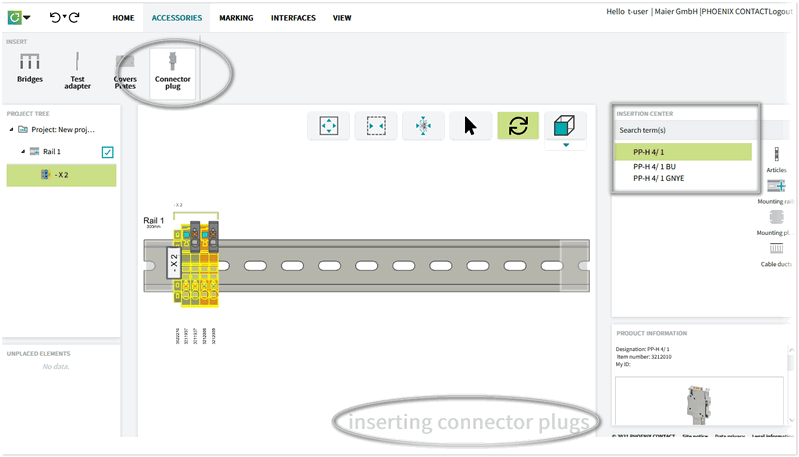
For specific actions, cxE changes to an individual working mode in order to facilitate the process for you, for example, by prefiltering the articles in the Insertion Center. In such a mode, you can repeat an action several times without having to select the function again (for example bridging terminals or marking articles).
A mode is activated when you call the function from the ribbon or from the radial menu. You can deactivate the mode with the <ESC> key or by clicking the ribbon button again.
cxE indicates an active mode in the bottom right corner of the workspace.
Example:
When you want to insert connector plugs, you have to activate the connector plug mode via the ribbon (ACCESSORIES > INSERT | Connector plug) or the radial menu. When you select the articles where you want to insert a connector plug, cxE filters the range of available articles for you and only displays the plugs that can be used in your case.
| Further Info
See also the topic "Inserting Accessories" for further details. |