Deactivating Communication Interfaces
 For your own safety, change the access data.
You can prevent device access via communication interfaces by deactivating them.
|
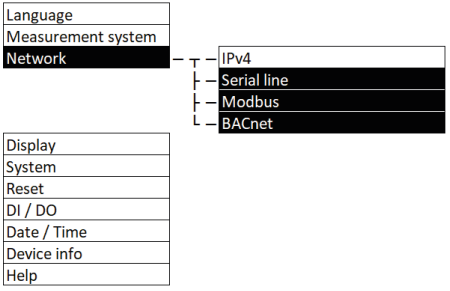
Navigation on the display |
“Network, Serial line / Modbus / BACnet” |
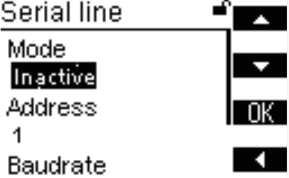
Deactivate Serial interface (RS-485)
You can deactivate the serial interface completely by setting it‘s mode to „Inactive“ via Display and web server. Available protocols for this interface (e.g. Modbus RTU, BACnet MS/TP) are switched off accordingly.
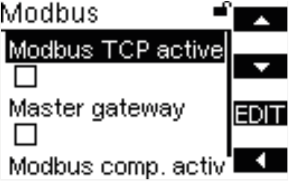
Deactivate Modbus (TCP)
You can deactivate the Modbus TCP interface by disabling the “Modbus TCP active" checkbox via Display and web server.
Deactivate BACnet (IP)
You can deactivate the BACnet IP interface by disabling the “Enable IP" checkbox via Display and web server.
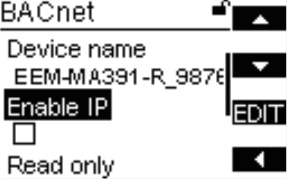
Note: Read-only access via the BACnet interface is provided by activating the interface and by enabling the “Read only” checkbox.
Deactivate REST API
You can deactivate the REST API only via web server by disabling the „Enable GET method“ and the „Enable PUT method“.
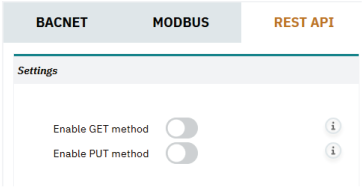
Note: Read-only access via the REST API is provided by only enabling the “Enable GET method”.