Activating the Brightness of the Display
What you will find in this section:
Activating the brightness of the display
|
Navigation on the display |
“Display, Brightness“ |
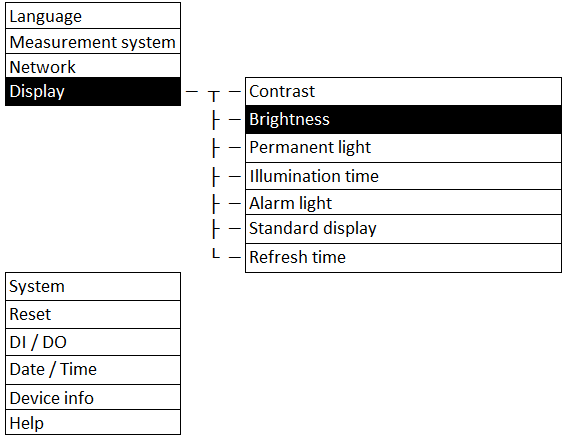
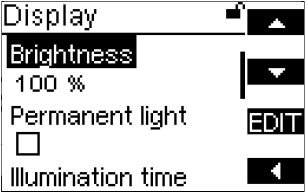
You can adjust the brightness of the display. The default setting for the brightness of the display is 100 %.
Related topics