Communication
What you will find in this section:
All devices are equipped with an Ethernet interface with an RJ45 socket.
Other communication interfaces can also be available optionally.
- RS-485
- PROFINET
- EtherNet/IP™
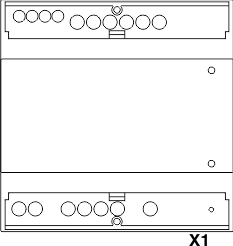
|
X1 |
Modbus/TCP |
Write and read access |
All devices are equipped with an integrated Ethernet interface (X1) with an RJ45 socket.
The device configuration is performed via this Ethernet interface.
Other communication interfaces can also be available optionally.
Modbus/RTU via RS-485

|
X1 |
Modbus/TCP |
Write and read access |
|
RS-485 |
Modbus/RTU |
Write and read access |
The device configuration can be implemented via the Modbus/RTU interface (RS-485) or via the integrated Ethernet interface.
PROFINET and/or EtherNet/IP™

|
X1 |
Modbus/TCP |
Write and read access |
|
X2 |
PROFINET and/or EtherNet/IP™ |
Read access |
|
X3 |
PROFINET and/or EtherNet/IP™ |
Read access |
The interfaces (X2 and X3) do not offer any options for device configuration and can therefore not be reached via the display or the web server.
The interfaces only offer a read function for the data via the dual ports (2xRJ45).
The associated IP addresses are assigned accordingly via the controller.
You can use one or two communication protocols with only one cable. To do so, bridge interfaces X1 and X3. Via the interface X2, both protocols (Modbus/TCP and PROFINET, or Modbus/TCP and EtherNet/IP™) can now be used in parallel.