Resetting the Device to Default Settings
What you will find in this section:
Resetting the device to default settings
EMpro has various options for resetting the device to the default setting.
A reset to the default settings has the following effects:
- All configuration parameters are reset to the delivery state
- PIN and WBM password are reset to the delivery state
- Device identifiers are reset to the delivery state
- All resettable counters are reset
- Resettable total energy meter
- Tariff meter
- Pulse counter
- Resettable operating hours meter
- Min/Max & Avg values are reset
- The selection of the currently used tariff meter is discarded and no tariff is selected
- All data logging records are deleted
- The device restarts and is in the configuration wizard
Reset to default settings without PIN
Pressing the two inner function buttons for at least 5 seconds resets the device to the default settings. This reset option is only enabled for a period of one minute after a restart. No admin rights are required. After the button has been pressed for at least 5 seconds, a message appears on the display. The user must confirm the reset before it is carried out. The process can also be canceled at this point.
There is a special case for users who have forgotten their access data but do not want to discard all device settings. In this case, the PIN-Code (for Display and Modbus login) and the WBM password are reset and the display configuration lock is removed. In this case the procedure (two inner function buttons for at least 5 seconds pressed) must already take place when the supply voltage is applied.
Reset to default settings with PIN
Normally (without preceding restart of the device), the PIN is required to reset the device to its default settings. A reset is possible via Modbus register or via Display.
|
Navigation on the display |
“System, Factory reset” |
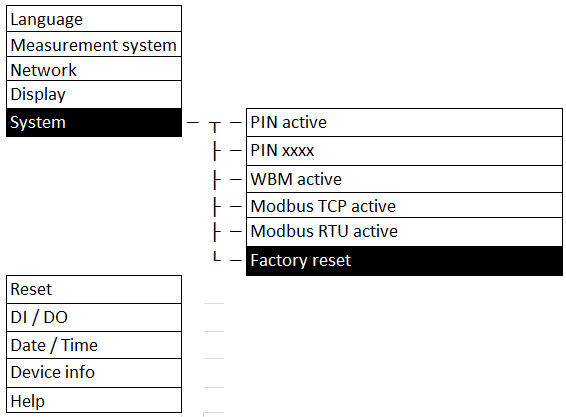
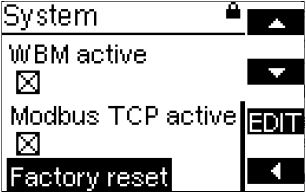
In the process, all configurations are lost and the device is returned to the delivery state.