Connecting or removing cables
Connecting cables
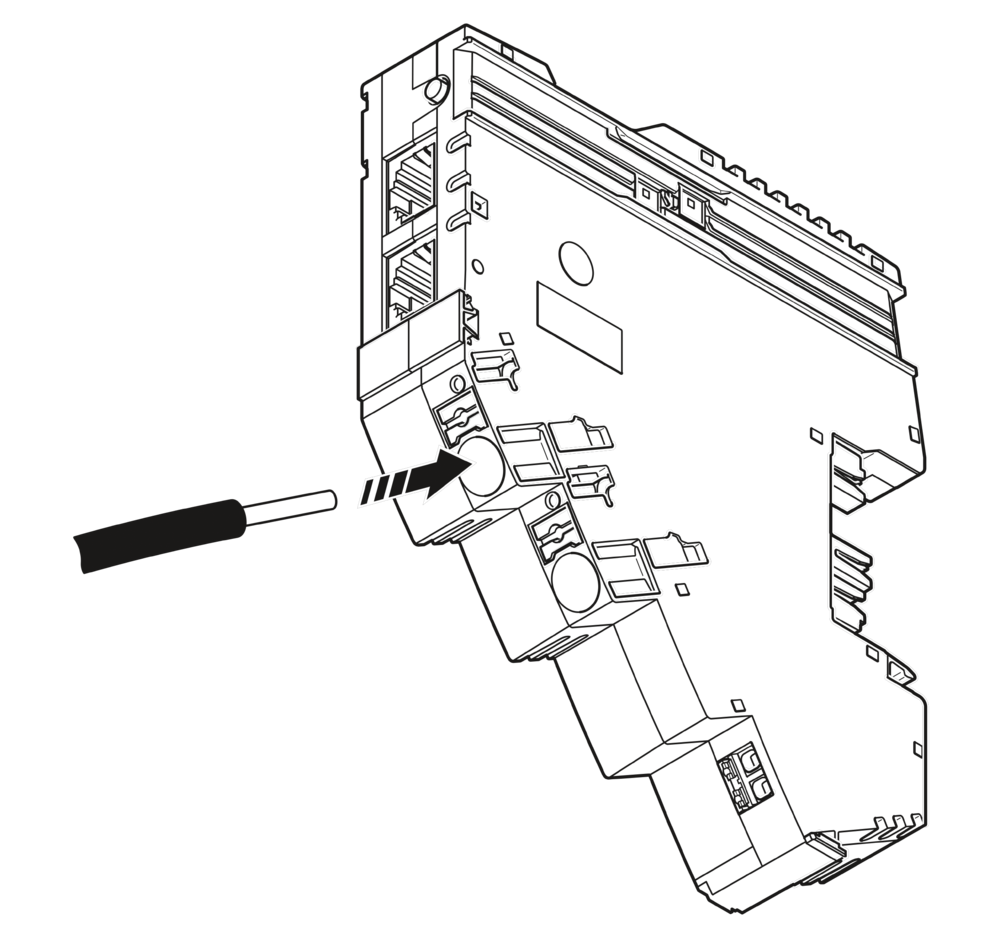
All the connections of the CAPAROC system feature Push-in connection technology, enabling tool-free and above all fast and safe wiring.
Connect the network cable for the CAPAROC PM EIP to the power module via an RJ45 connector.
Please observe the following during wiring:
- Make sure to install the conductor in the middle of the wiring space.
 If you are using ferrules, comply with the specifications described in the module-specific documentation. Make sure that the ferrules are crimped correctly.
Connecting the power supply
Requirements for the power supply
Choose a power supply unit that is suitable for the currents in your application. The selection depends on the system configuration and the resulting maximum currents.
 WARNING: Loss of electrical safety when using unsuitable power supplies. Dangerous shock currents.
The CAPAROC system is designed exclusively for protective extra-low voltage (PELV) operation in accordance
with EN 60204-1. Only protective extra-low voltage in accordance with the defined standard may be used for supply purposes.
- Only use power supply units that ensure safe isolation in accordance with EN 50178 and EN 64010-2-201. They prevent short circuits between the primary and secondary circuit.
WARNING: Dangerous contact voltage in the event of ground faults
– The CAPAROC modules for the low-voltage area must only be operated in grounded networks.
Connecting the power supply
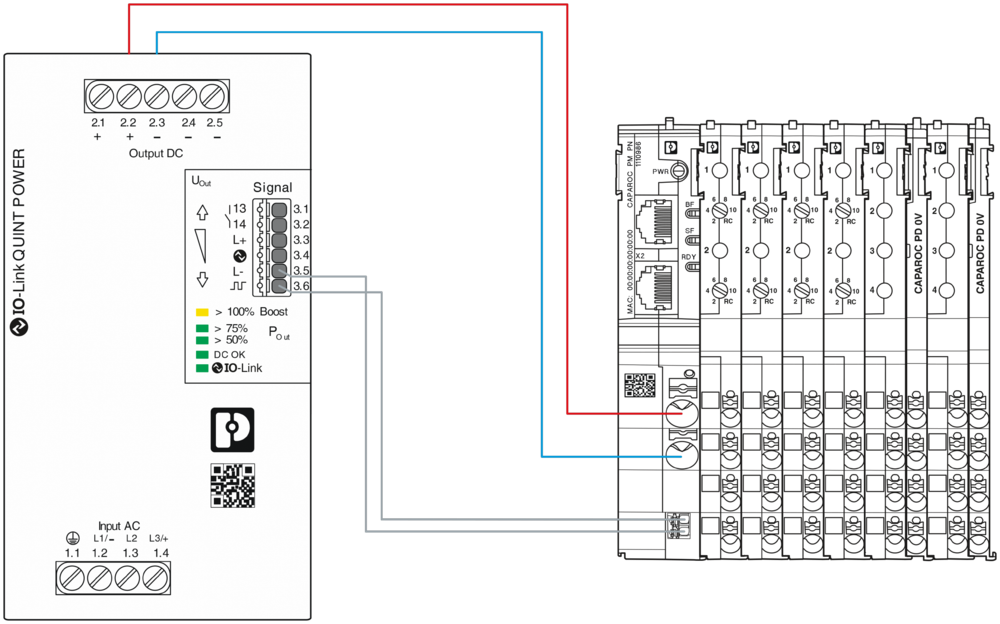
The power supply is connected to the CAPAROC system via connections IN+ 1.1 and IN- 2.1 of the power module.
The other modules are also automatically supplied with power via the rear current rail.
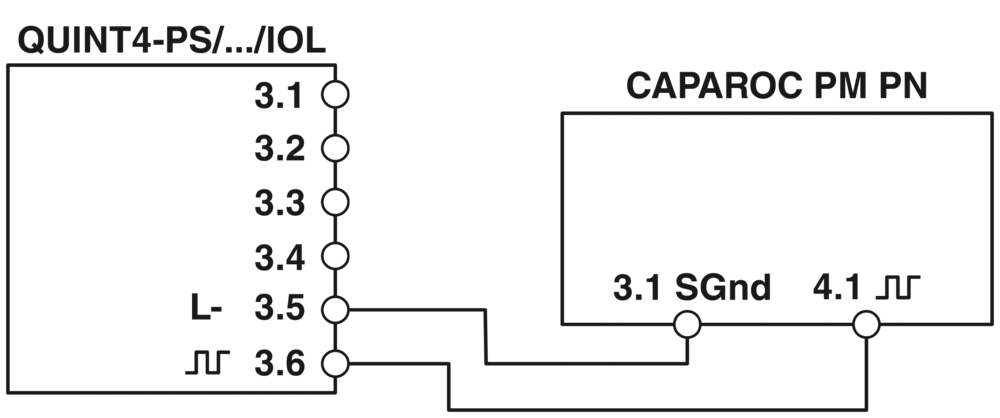
System configuration for QUINT POWER with CAPAROC
The data from the power supply is forwarded to the CAPAROC circuit breaker system via the system interface and integrated into the network protocol. Communication is bidirectional. Data can be read and parameterized.
Removing the cables
- To remove a cable from the terminal point, press on the spring lever using a suitable tool (e.g., bladed screwdriver with a blade width of 2.5 mm). This opens the leg-spring connection of the relevant terminal point.
- Remove the conductor.